Version-Aware Documentation: Keeping Agents Aligned With Releases
A guide to version-aware docs, release alignment, and how to keep agents from using stale instructions.
- versioningdocumentationreleasesai-agents
Agents are fast, but they are not psychic. If your docs do not match the release they are working on, you will get incorrect output. Version-aware documentation is the simplest way to prevent this.
This guide shows how to align docs with releases and keep agents from using stale instructions.
Direct answer: Version-aware docs keep agents aligned with the code they are working on. Label versions clearly, link change logs near instructions, and tie doc updates to releases. This prevents agents from using stale guidance and reduces rework. Track mismatches as a quality signal.
Why version drift breaks agents
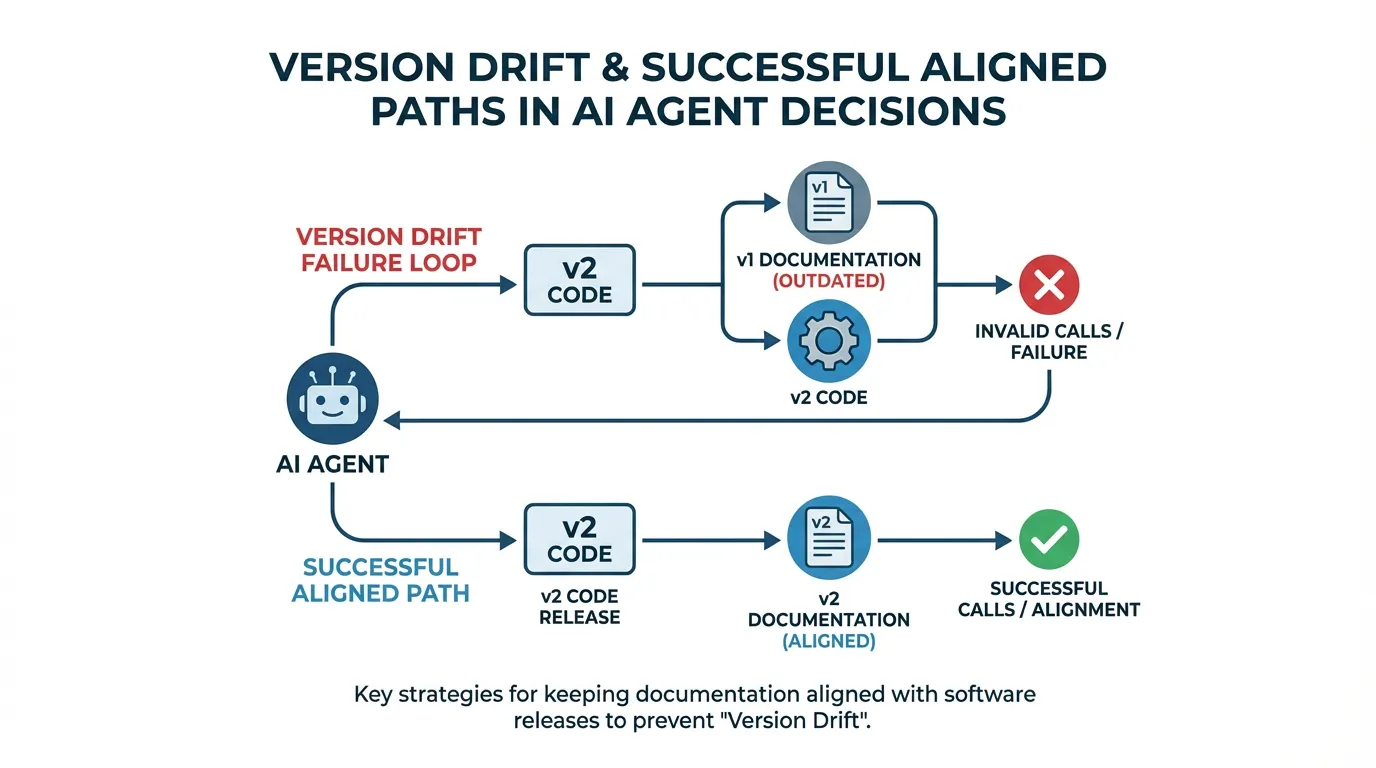
Even small API changes can break an agent workflow. If the docs describe v1 but the code is on v2, the agent will produce invalid calls.
Versioning strategies that scale
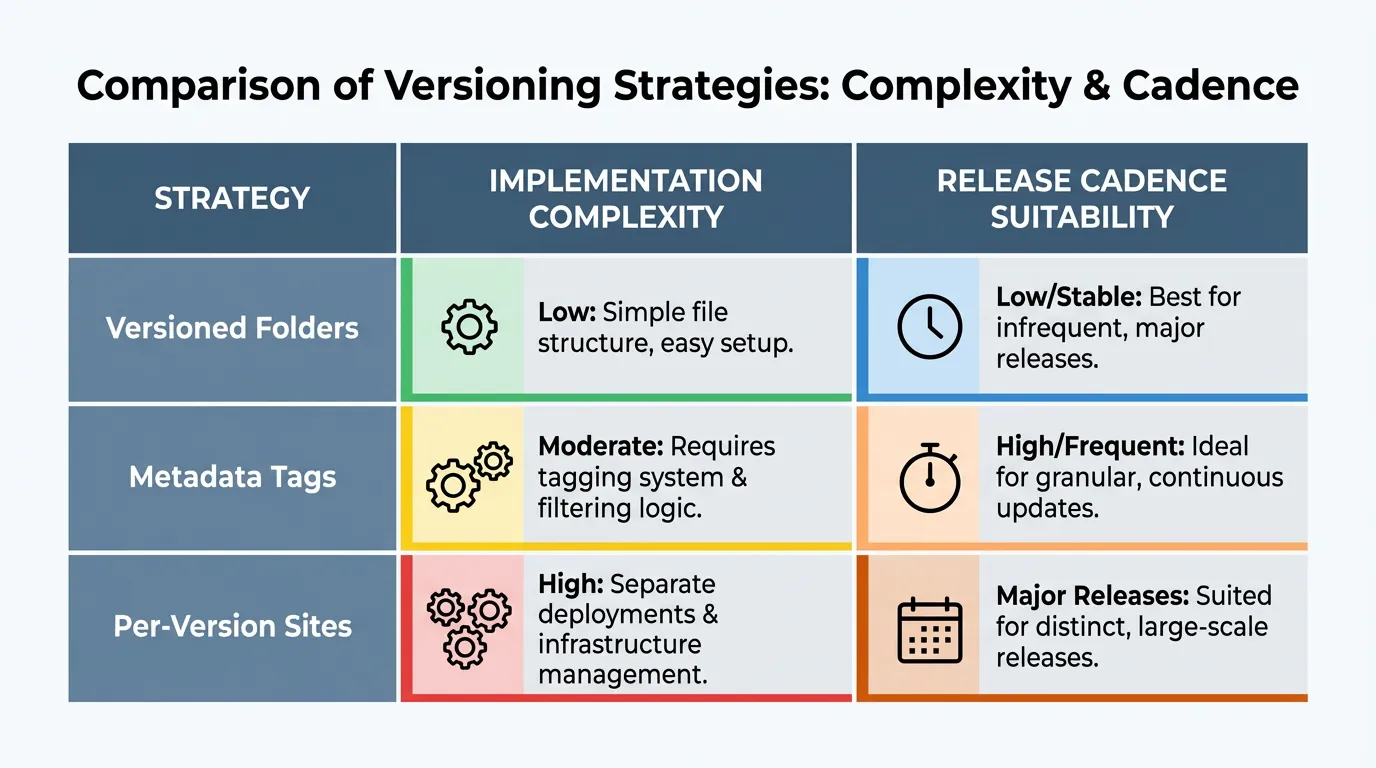
Pick a strategy that matches your release cadence. The most common options are versioned folders, version tags in metadata, or per-version docs sites.
Surfacing version context to agents
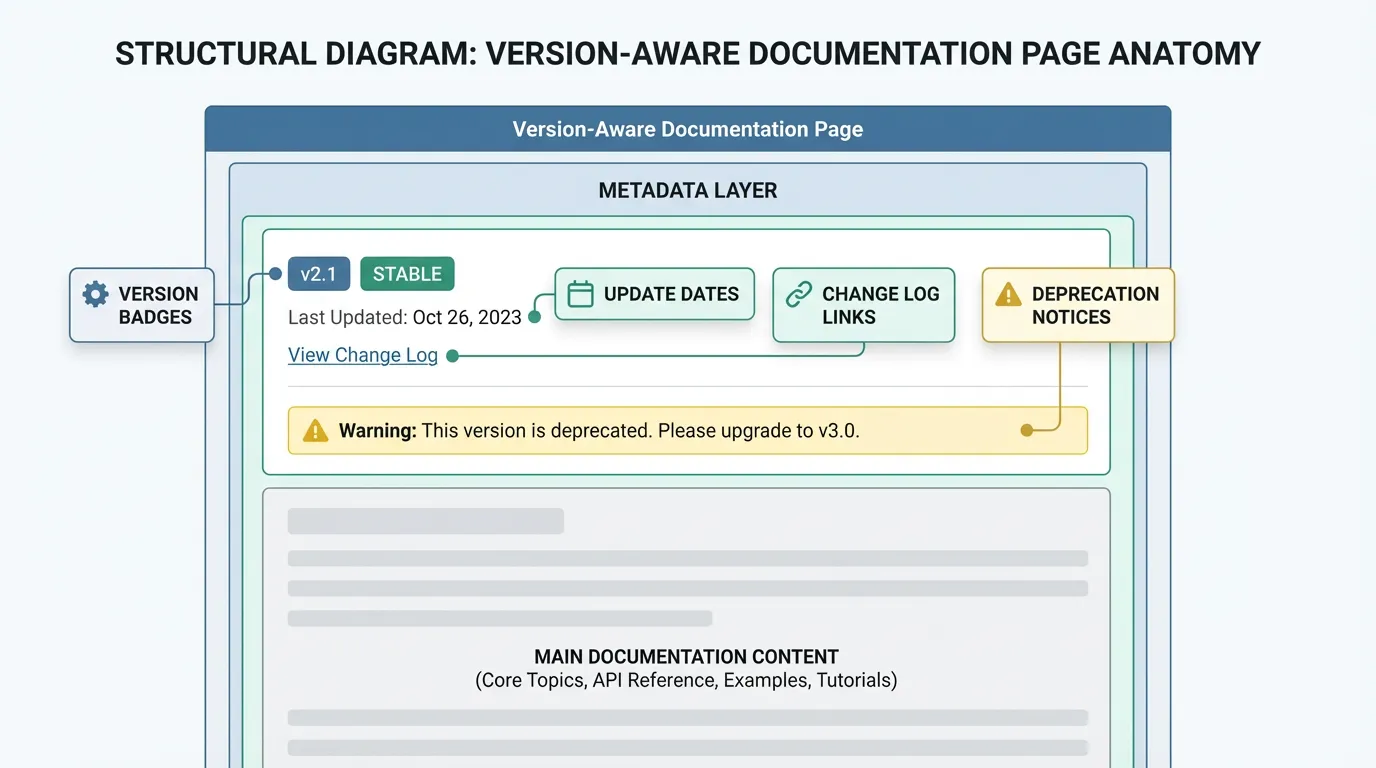
Make version context explicit in every page. Include version badges and update dates in your docs.
Release workflow integration
Docs should be part of the release process. Add a checklist step that updates docs and validates any examples.
Release alignment checklist
- Tag docs with the current version.
- Update examples in the same release window.
- Link change logs near the instructions.
- Archive or mark deprecated guidance.
Deprecations and migrations
When you deprecate features, show clear migration steps. This prevents agents from repeating old patterns. If changes affect security, update security immediately.
Example (hypothetical): A v2 migration note sits next to the v1 API docs so the agent can choose the right path based on the current release.
Metrics to watch
Track how often agent output fails due to version mismatches. Use a baseline from benchmarks to see improvement.
Example metrics to track:
| Metric | What it tells you | How to measure | |---|---|---| | Version mismatch rate | Frequency of stale guidance | Count outputs using deprecated APIs | | Doc update lag | Speed of updates | Days between release and doc update | | Migration completion | Adoption of new version | Percent of projects updated |
FAQs
Should I keep multiple doc versions live?
Yes if you support older releases in production. Archive older versions only when you are confident they are no longer used.
How do I surface version context to agents?
Add version badges, metadata fields, and change logs near the instructions. That makes the correct version unambiguous.
Summary and next step
Key takeaways:
- Version drift breaks agent output.
- Label versions and link change logs.
- Track mismatches to spot stale guidance.
Ready to apply this? Try for free.
Ready to give SotaDocs a try?
A guide to version-aware docs, release alignment, and how to keep agents from using stale instructions.