Summary vs Full Pack vs Vector: Choosing the Right Retrieval Mode
A guide to summary, full pack, and vector retrieval modes, when each works, and how to choose the right one.
- retrievalvector-searchcontextai-agents
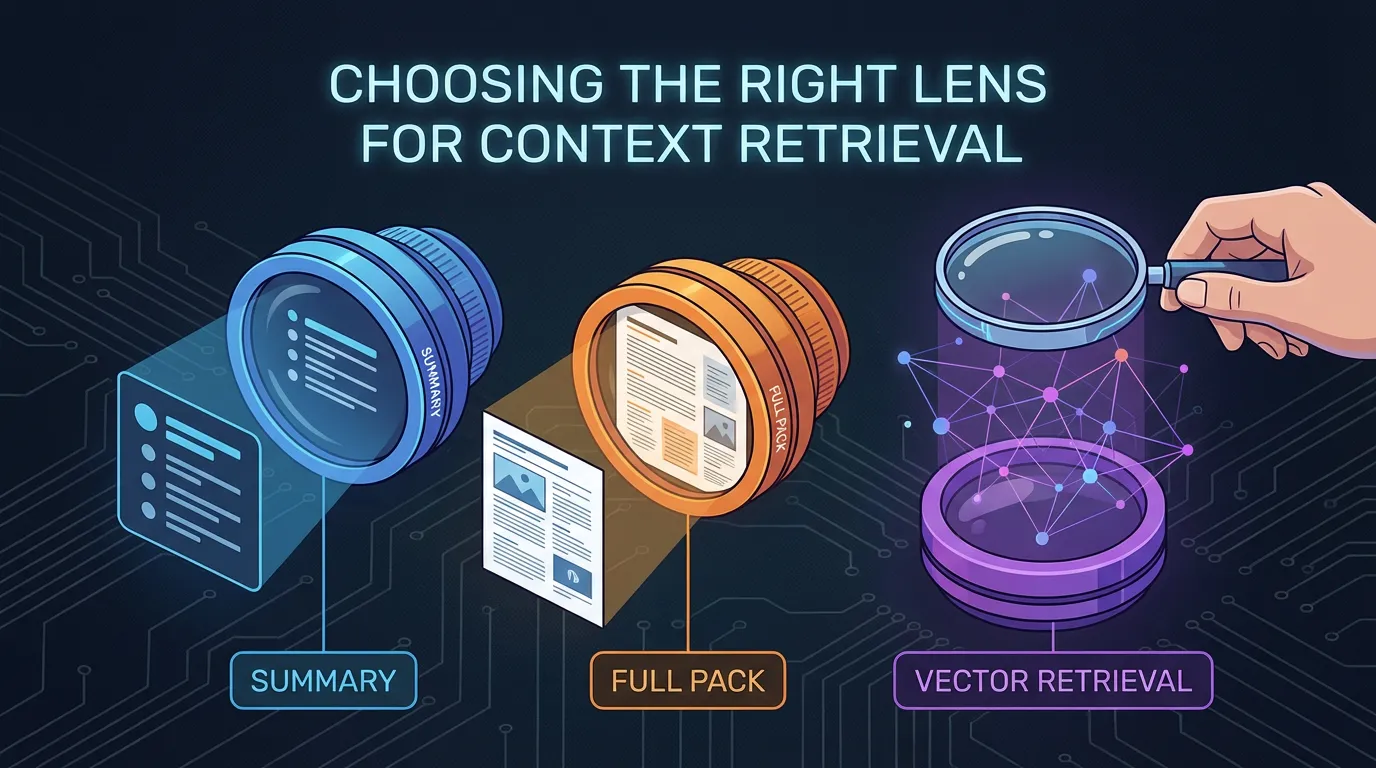
The most common mistake in context engineering is assuming that more data is always better. In reality, the density of information matters more than the volume. Depending on whether you are planning a high-level architecture or fixing a specific null-pointer exception, the retrieval mode you choose—Summary, Full Pack, or Vector—will determine if the agent succeeds or hallucinates.
Direct answer: Summary gives a fast overview for planning, Full Pack provides the complete source context for precise code changes, and Vector retrieval finds relevant chunks within massive corpora using semantic similarity. To optimize outcomes, match the retrieval mode to the task's risk level: use Full Pack for high-stakes production changes and Summary or Vector for low-risk discovery.
What each mode provides
Summary gives a condensed overview. Full pack gives complete source context. Vector retrieval pulls relevant chunks based on similarity.
Retrieval Glossary
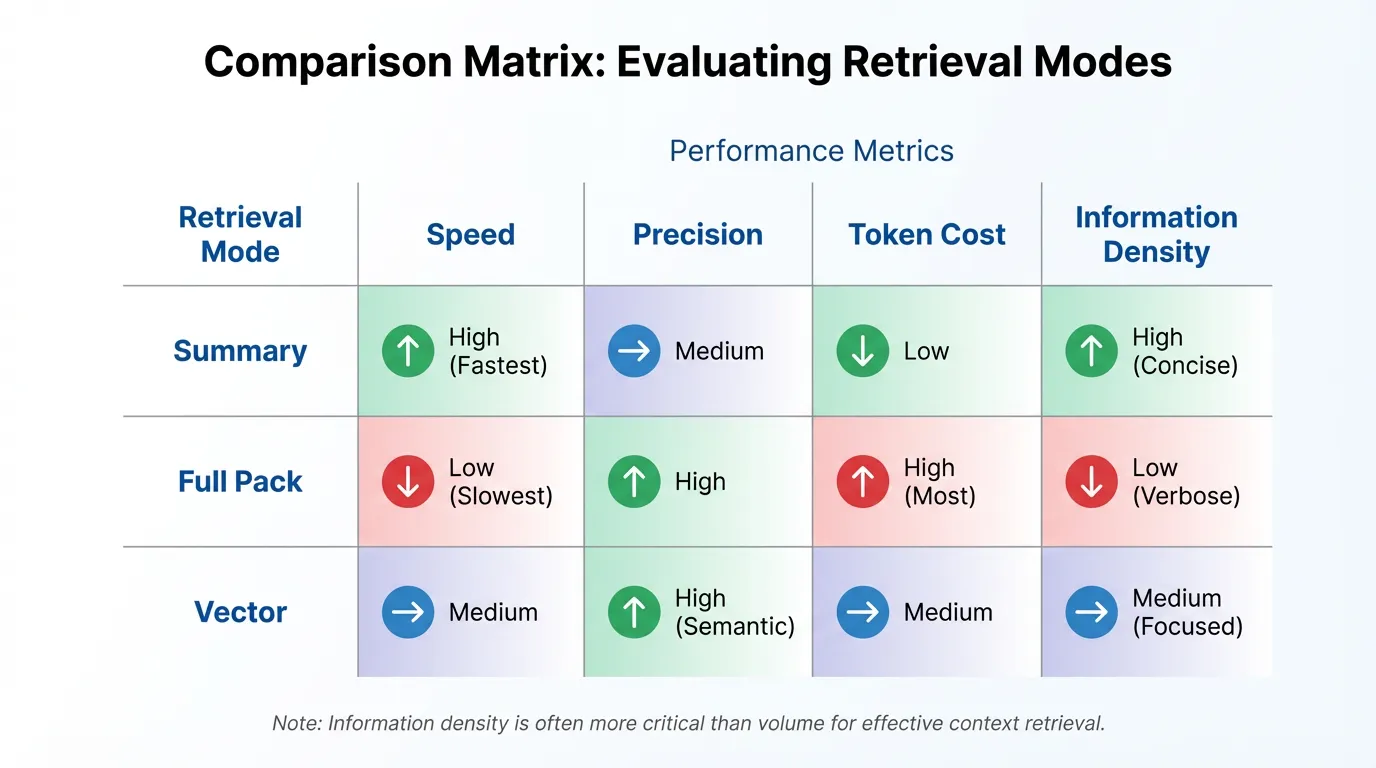
- Summary: A machine-generated abstraction of a file or directory. High-speed, low-precision. Ideal for planning.
- Full Pack: The raw, un-truncated content of a specific resource. High-precision, high-token-cost. Ideal for execution.
- Vector (RAG): A similarity-based search that pulls text "chunks" based on semantic relevance. Best for discovery across large datasets.
When summary wins
Summary works for high level planning, onboarding, and quick explanations. It is fast and low cost, but it can hide critical constraints.
When full pack wins
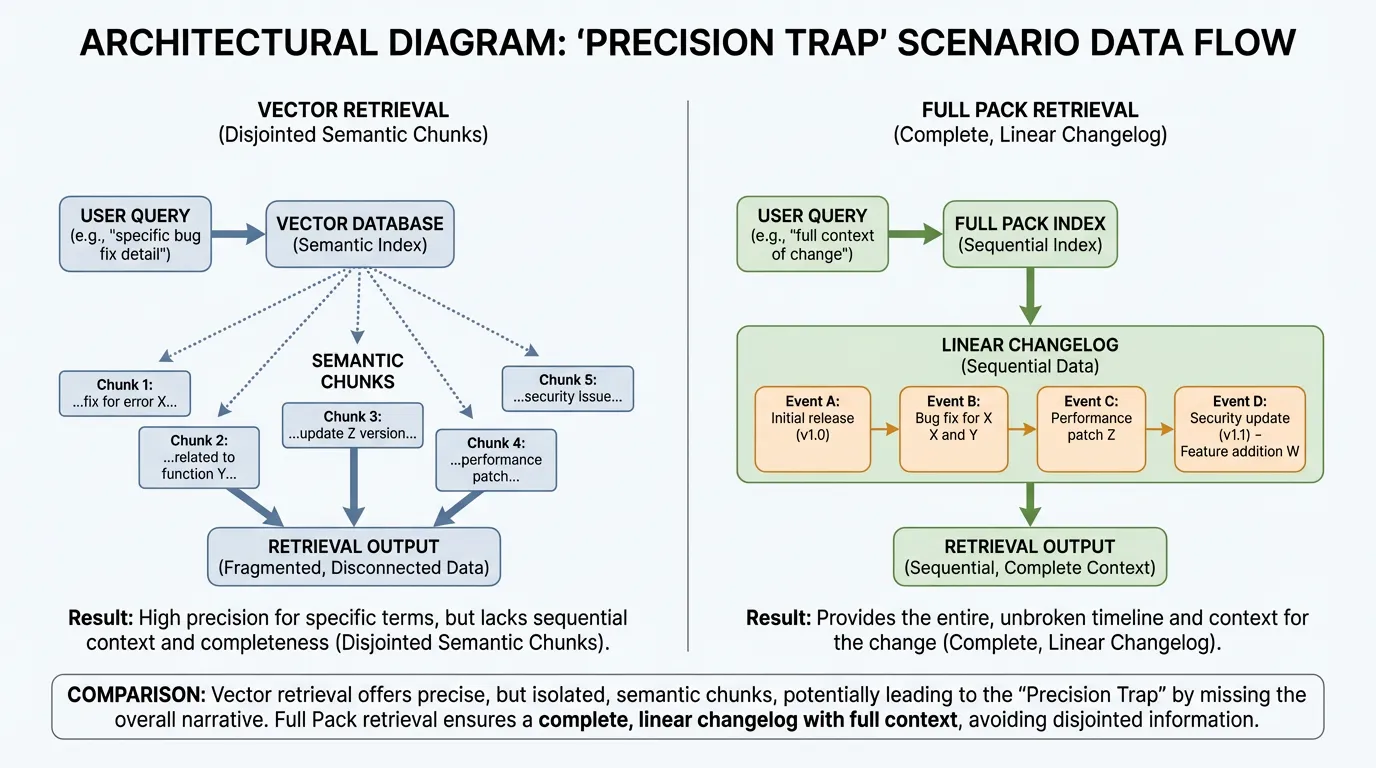
The Precision Trap: An agent using Vector retrieval for a Stripe migration might pull a "Payments" chunk from 2021 because the semantic meaning is similar. However, a Full Pack retrieval of the specific v2026-01-19 changelog would ensure the agent sees the actual breaking change that occurred last week.
Full pack is best for precision tasks such as migrations, refactors, and API usage.
When vector wins
Vector retrieval works when the query is fuzzy or the corpus is large. It is great for exploration, but it can miss exact version details.
Failure modes and guardrails
- Summary fails when key requirements are missing.
- Full pack fails when content is stale or messy.
- Vector fails when metadata and identifiers are weak.
Use verification gates and keep sources clean. A good starting point is your integrations.
A simple decision matrix
| Mode | Best for | Risk level | |---|---|---| | Summary | Planning and onboarding | Low | | Full pack | Precise code changes | High | | Vector | Fuzzy discovery | Medium |
- Use summary for broad questions and onboarding.
- Use full pack for precise code changes.
- Use vector for discovery and large corpora.
Example metrics to track
| Metric | What it tells you | How to measure | |---|---|---| | Answer accuracy by mode | Which mode performs best | Compare correctness across modes | | Context precision | Relevance of retrieval | Percent of retrieved chunks used | | Token cost | Efficiency of each mode | Tokens per task by mode |
FAQs
Can I combine retrieval modes?
Yes. A common pattern is to start with a summary and then pull a full pack for the critical steps. Hybrid retrieval balances speed and accuracy.
What is the safest default?
For high risk changes, default to full pack so constraints are not missed. Use summary for exploration and vector for fuzzy discovery.
Summary: Choose your Accuracy level
Don't let your retrieval mode be an afterthought.
- Planning? Use Summary to save tokens and time.
- Executing? Use Full Pack to ensure 100% precision.
- Discovering? Use Vector to find the "needle in the haystack."
Ready to optimize your agent's context? Try for free.
Ready to give SotaDocs a try?
A guide to summary, full pack, and vector retrieval modes, when each works, and how to choose the right one.