SKILL.md: What It Is, How It Improves Context, and How to Write Agent Rules
Learn what SKILL.md is, how it shapes agent behavior, and how to write clear rules that improve context and safety.
- skill-mdagent-rulescontextworkflow
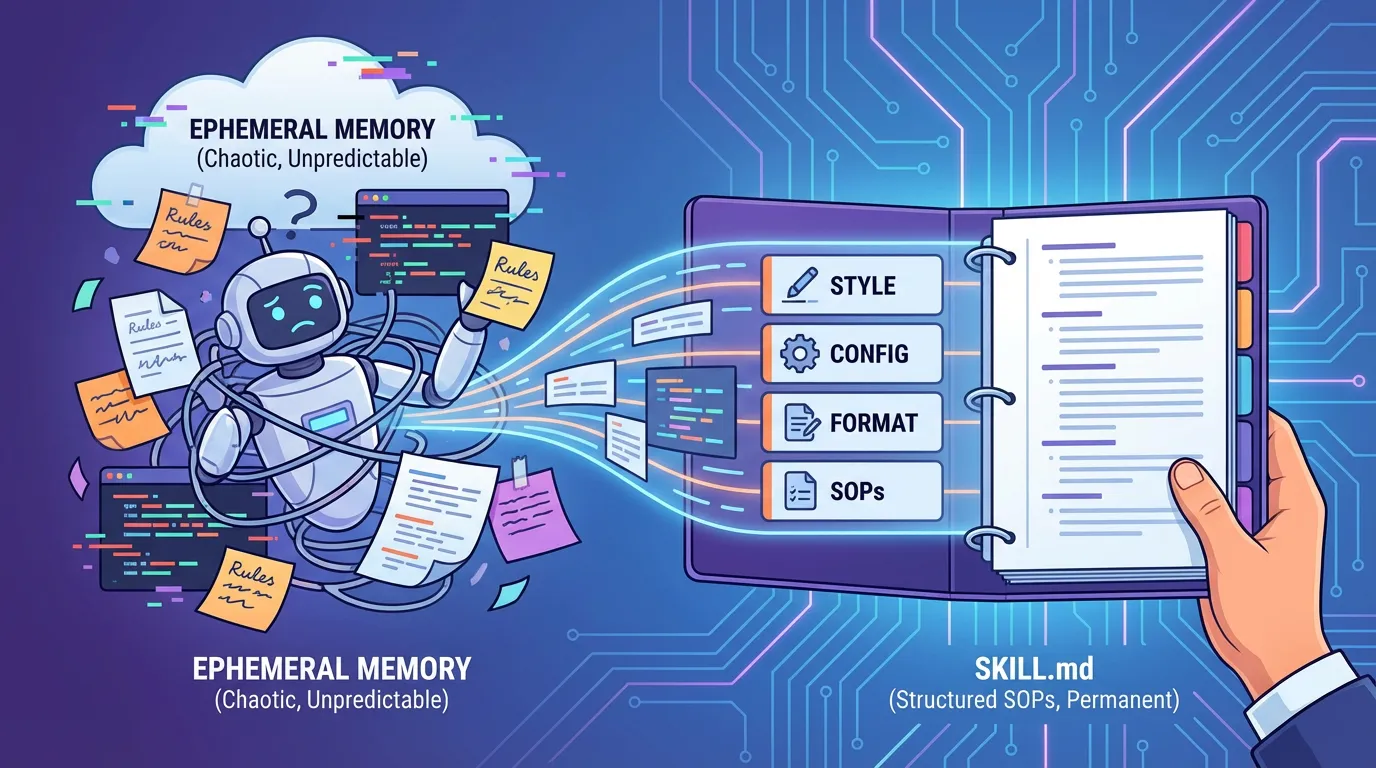
The biggest frustration with AI agents is their unpredictability. One day they follow your style guide perfectly; the next, they rewrite your entire configuration. SKILL.md solves this by moving your "Standard Operating Procedures" (SOPs) out of the ephemeral prompt and into a persistent, version-controlled file that the agent treats as a mandatory contract.
Direct answer: SKILL.md is a file that defines how an agent should behave inside your project. It sets explicit scope, constraints, and approval gates so the agent doesn't guess your intentions. Good rules are deterministic, testable, and tied to a clear source of truth, ensuring that every agent session remains consistent with your team's established standards.
What is SKILL.md
SKILL.md is a file that documents how an agent should work in your repo. It describes scope, constraints, and mandatory steps. Think of it as a contract between the team and the agent.
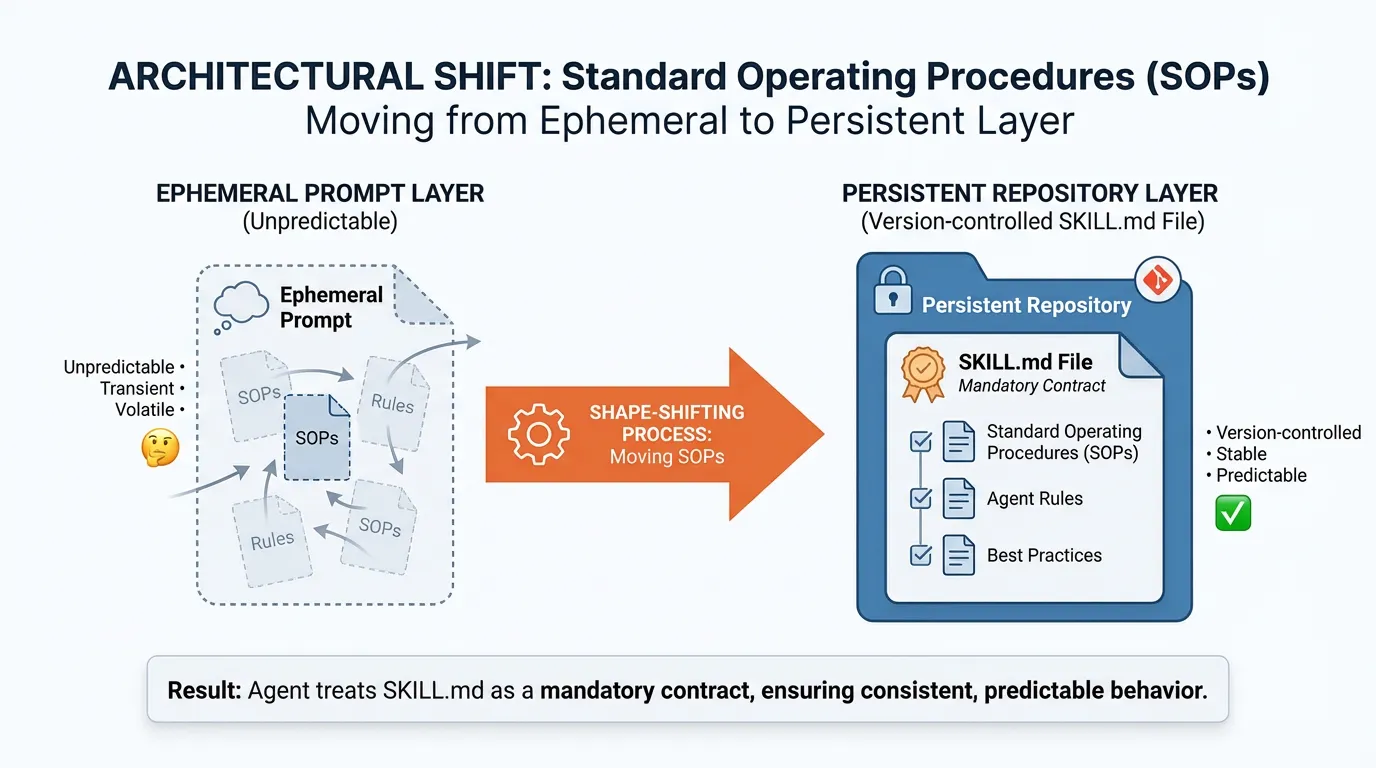
How skill files change agent behavior
Agents follow instructions in priority order. A clear SKILL.md moves rules out of the prompt and into the project, which makes behavior consistent across sessions.
Writing effective rules
Good rules are specific, testable, and easy to follow.
Scope and constraints
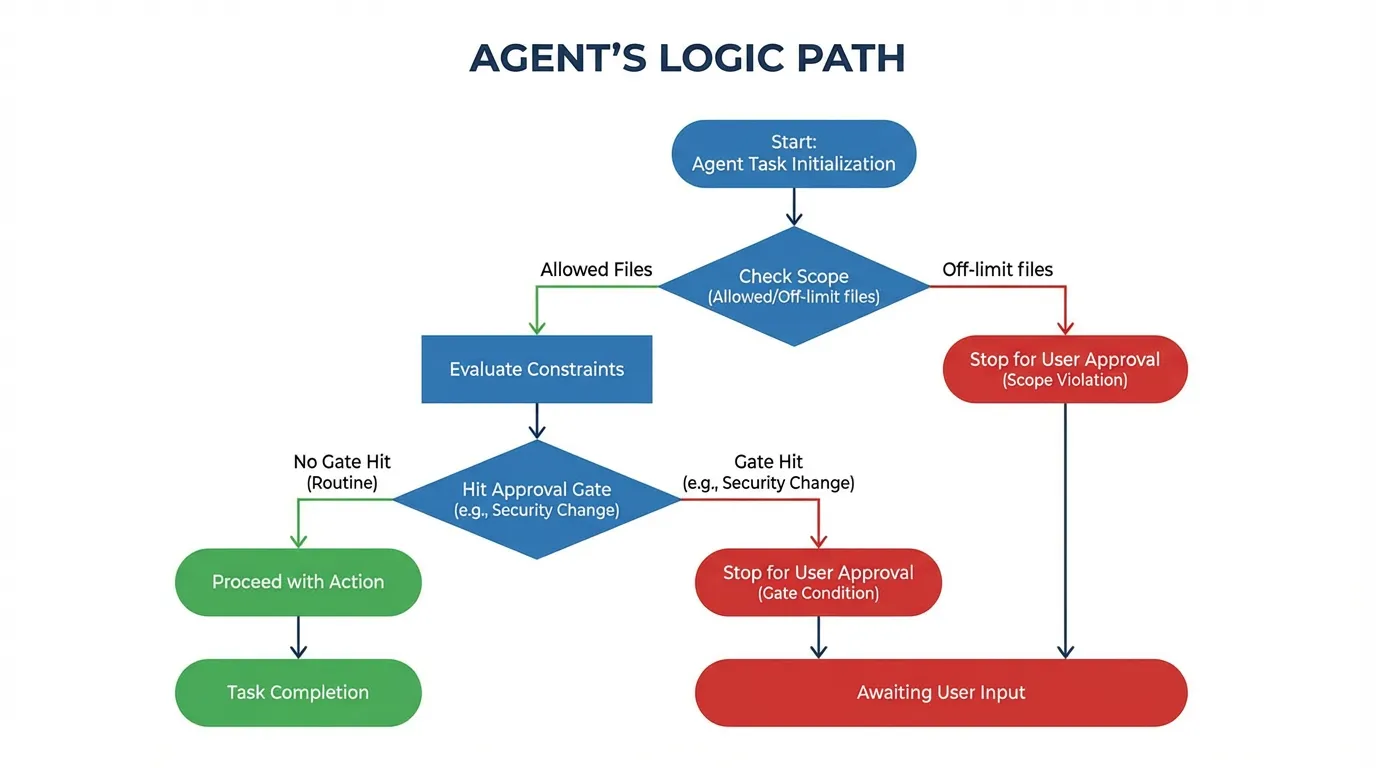
Define which files are in scope and which are off limits. Point the agent to a canonical reference like your docs.
Approval gates
Explicitly define when the agent must ask for approval. This is critical for security changes. Align with security.
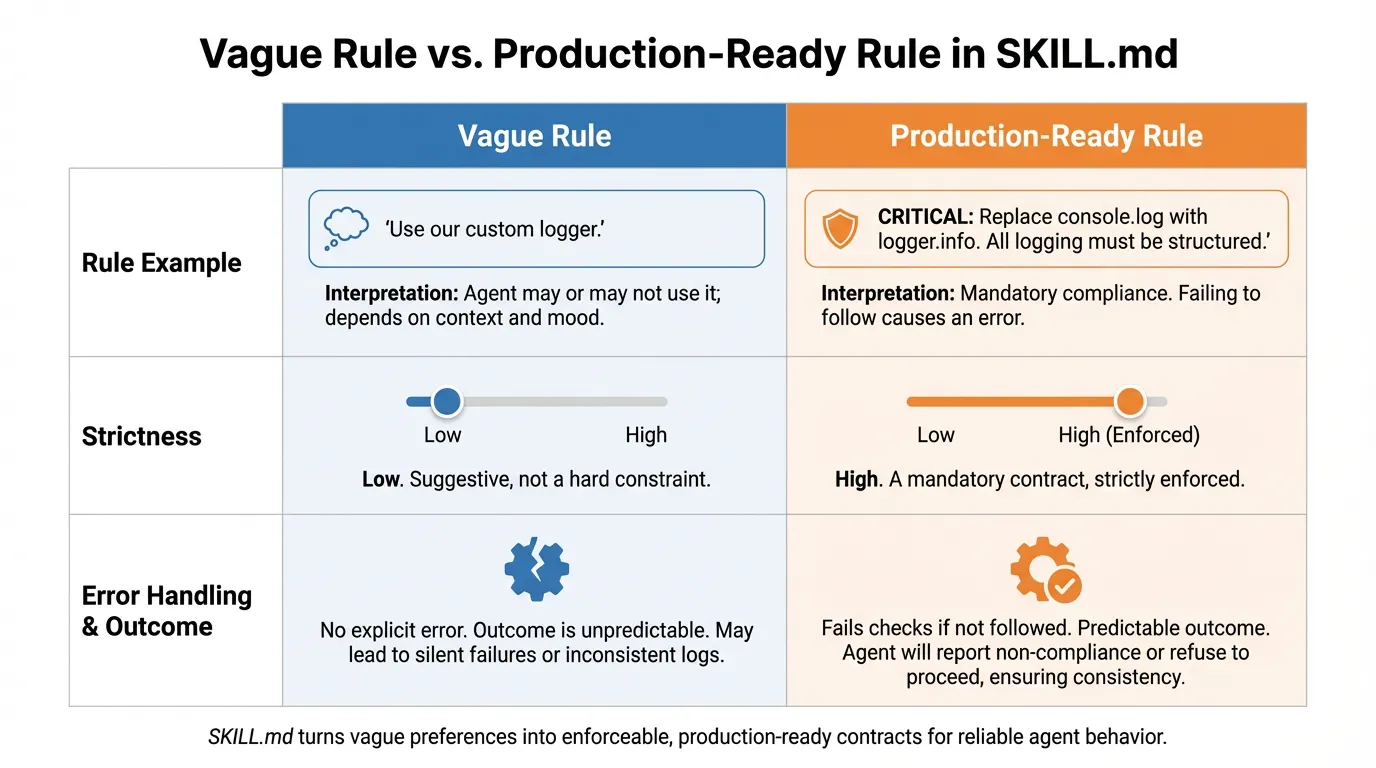
Examples of good rules
A Production-Ready Rule: Instead of saying "Use our custom logger," a SKILL.md rule should be explicit: "CRITICAL: All console.log statements must be replaced with logger.info() from @/lib/logger before completing a task. If you cannot locate the logger, STOP and ask the user for the path."
This turns a vague preference into a hard constraint that the agent is forced to acknowledge and execute.
- Always read README before starting work.
- Do not change config without approval.
- Keep edits minimal and explain why.
Common mistakes
The most common mistake is vague rules like "be careful." Another is missing a single source of truth for requirements. Use a stable product overview like product.
Rollout checklist
- Add SKILL.md to the repo root.
- Share rules with the team.
- Review and update monthly.
Example metrics to track
| Metric | What it tells you | How to measure | |---|---|---| | Approval compliance | Whether rules are followed | Count changes without required approval | | Scope violations | Off-limits edits | Track edits to excluded files | | Rework rate | Rule clarity | Corrections caused by rule gaps |
FAQs
Where should SKILL.md live?
Put SKILL.md at the repo root so it is easy to find and consistent across sessions.
How often should rules be updated?
Review rules when workflows change or at a regular cadence like monthly. Outdated rules cause the same problems as stale docs.
Final Verdict: Why Rules Matter
Don't let your agent operate in a vacuum.
- Persistent: Rules stay in the repo, not just the chat history.
- Safe: Mandatory stops prevent accidental production outages.
- Scalable: New team members and new agents learn your stack in seconds.
Ready to build a safer agent workflow? Try for free.
Ready to give SotaDocs a try?
Learn what SKILL.md is, how it shapes agent behavior, and how to write clear rules that improve context and safety.