MCP vs REST API: Which Integration Method Is Right for You?
Compare MCP and REST APIs for agent integration, with decision criteria, hybrid options, and practical migration paths.
- mcprest-apiintegrationsai-agents
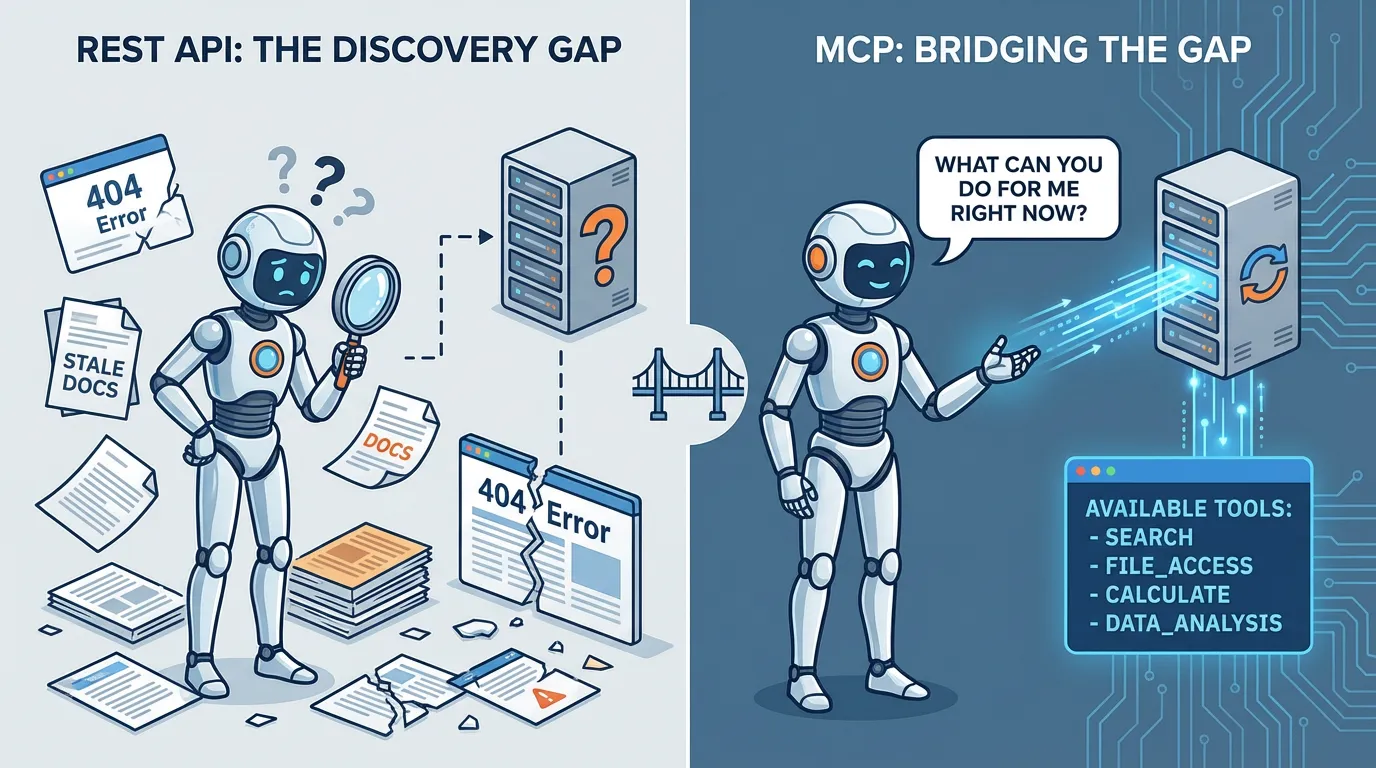
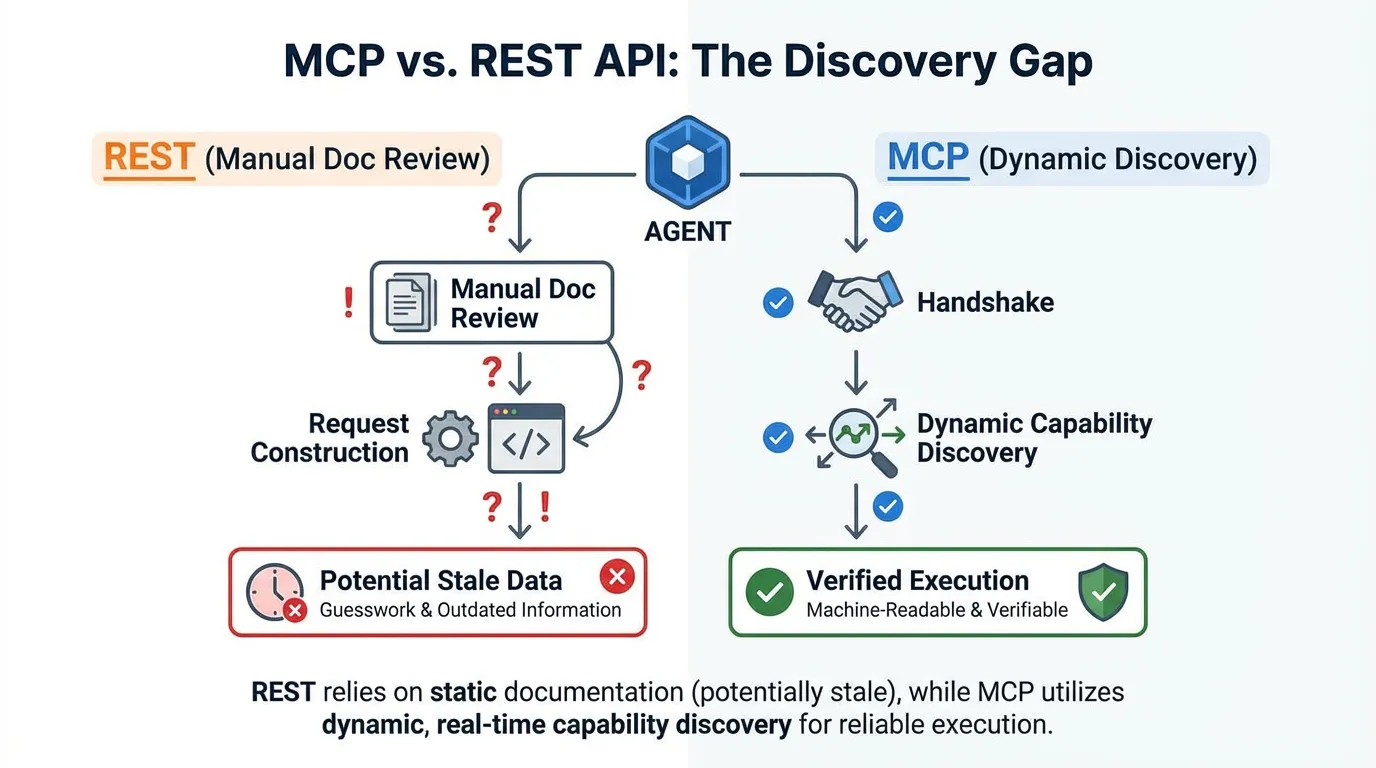
The debate between MCP and REST isn't about which is "better"—it's about the Discovery Gap. In a REST-only world, an agent has to guess the correct endpoint and payload format based on documentation that might be stale. MCP bridges this gap by letting the agent ask the server: "What can you do for me right now?" and receiving a verifiable, machine-readable answer.
Direct answer: MCP adds discovery and permissions so agents can use tools safely, while REST provides simple endpoints without context guarantees. Choose MCP when you need predictable behavior and controlled access in a dynamic environment, and REST when you already have mature, well-documented APIs for simple data fetching. Most enterprise teams settle on a hybrid of both.
Quick comparison
| Feature | MCP | REST API | |---|---|---| | Discovery | Built-in (Automatic) | Manual (Requires Docs) | | Permissions | Granular & Explicit | Token/Session-based | | Setup Speed | Medium (Requires MCP Server) | High (Leverage existing) | | Ideal For | Safety-critical tool use | High-volume data fetching |
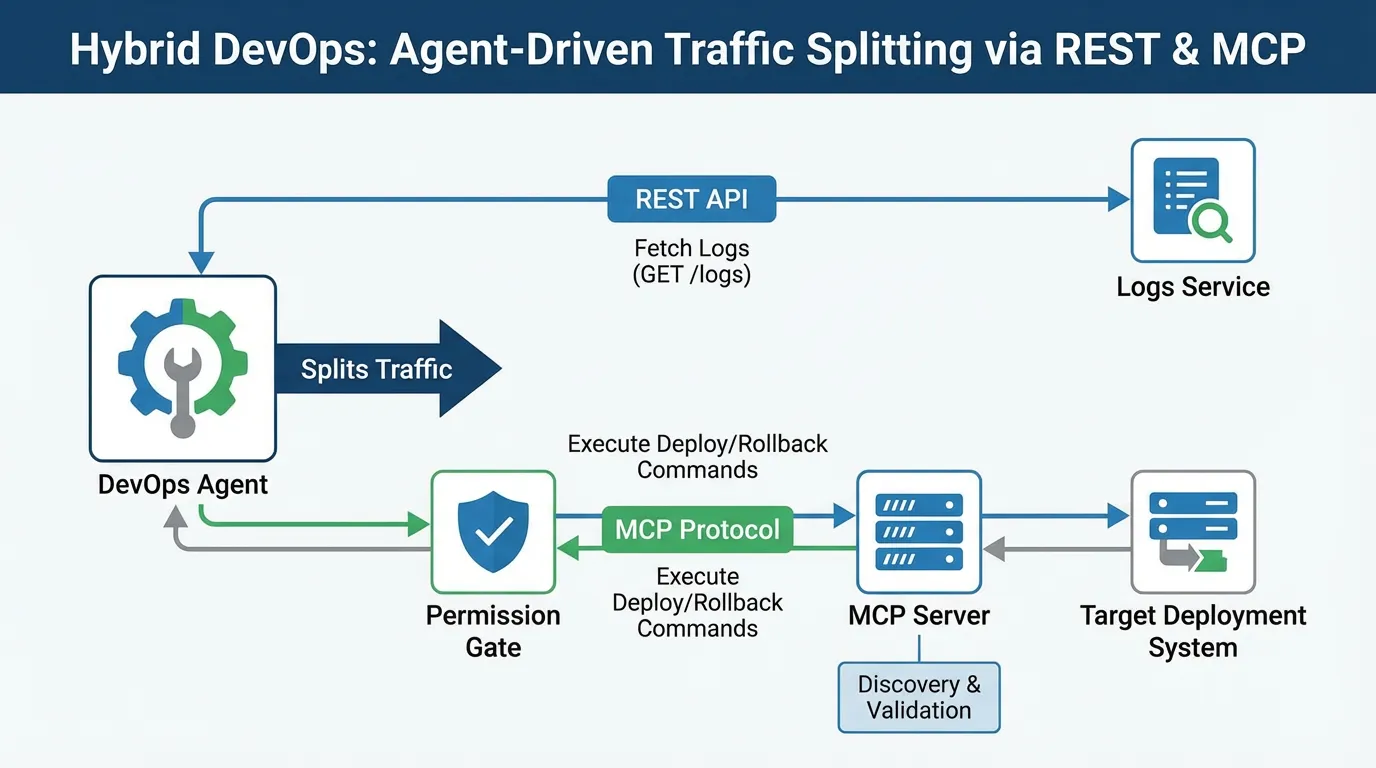
Real-world Hybrid: A DevOps team uses a REST API to fetch read-only logs (high volume, low risk). However, for deployments, they use an MCP server. The MCP server dynamically exposes only the specific "Rollback" and "Deploy" tools that the user has permission to run in that specific environment, preventing the agent from guessing or attempting destructive commands.
MCP strengths
MCP gives agents a clear map of tools and resources. It reduces guesswork and improves safety. If you need strong context control, MCP is a solid default. Review your integrations before choosing.
REST strengths
REST is simple, stable, and widely understood. It works well when the agent only needs to call a few endpoints and you already have strong validation.
Decision criteria
Security, latency, ops
If you need strict permissions and auditability, MCP helps. If latency is critical and you already cache responses, REST may be simpler. For sensitive systems, align with security.
Decision checklist
- Do you need explicit permissions and auditability?
- Are workflows safety critical or production facing?
- Is tool discovery required, or are endpoints already known?
- Can you validate outputs automatically?
Use these criteria to decide.
Hybrid approaches
Many teams expose core data through REST and wrap it with MCP for discovery and safe tool calling. This provides flexibility without losing structure.
Example (hypothetical): A team keeps REST for analytics, but exposes a curated MCP tool for deployments so the agent can discover safe actions.
Migration paths
A simple 4-step rollout workflow
- Inventory: List all tools and data sources the agent should access.
- Gate: Identify "destructive" tools (e.g., Delete, Write, Deploy).
- Wrap: Build a small MCP server specifically for those destructive tools.
- Connect: Link the agent to your existing REST API for read-only data fetching.
Start with a small MCP server that exposes a few high value tools. Keep the REST APIs intact, then migrate gradually. Document the shift in your docs.
Example metrics to track
| Metric | What it tells you | How to measure | |---|---|---| | Integration reliability | Stability of tool use | Error rate in tool calls | | Setup time | Complexity of rollout | Time to first successful integration | | Permission violations | Safety issues | Number of blocked or invalid calls |
FAQs
Can I start with REST and add MCP later?
Yes. Many teams begin with REST for speed and add MCP for higher risk workflows that need safer discovery and permissions.
How do I choose for internal tools?
If you need auditability and least privilege, MCP is a better fit. If the tools are simple and tightly controlled, REST can be enough.
Summary: Use the Right Tool for the Job
Don't force a protocol where a simple endpoint will do, but don't risk production safety on ad-hoc API calls.
- Use REST for data sources and simple, read-only lookups.
- Use MCP for action-oriented tools that need discovery and strict guardrails.
Ready to secure your tool-calling workflows? Try for free.
Ready to give SotaDocs a try?
Compare MCP and REST APIs for agent integration, with decision criteria, hybrid options, and practical migration paths.