Documentation Drift: How to Detect and Fix Stale Context
Detect documentation drift with checks and feedback, prioritize fixes, and build a workflow that keeps context current.
- doc-driftdocumentationmaintenanceai-agents
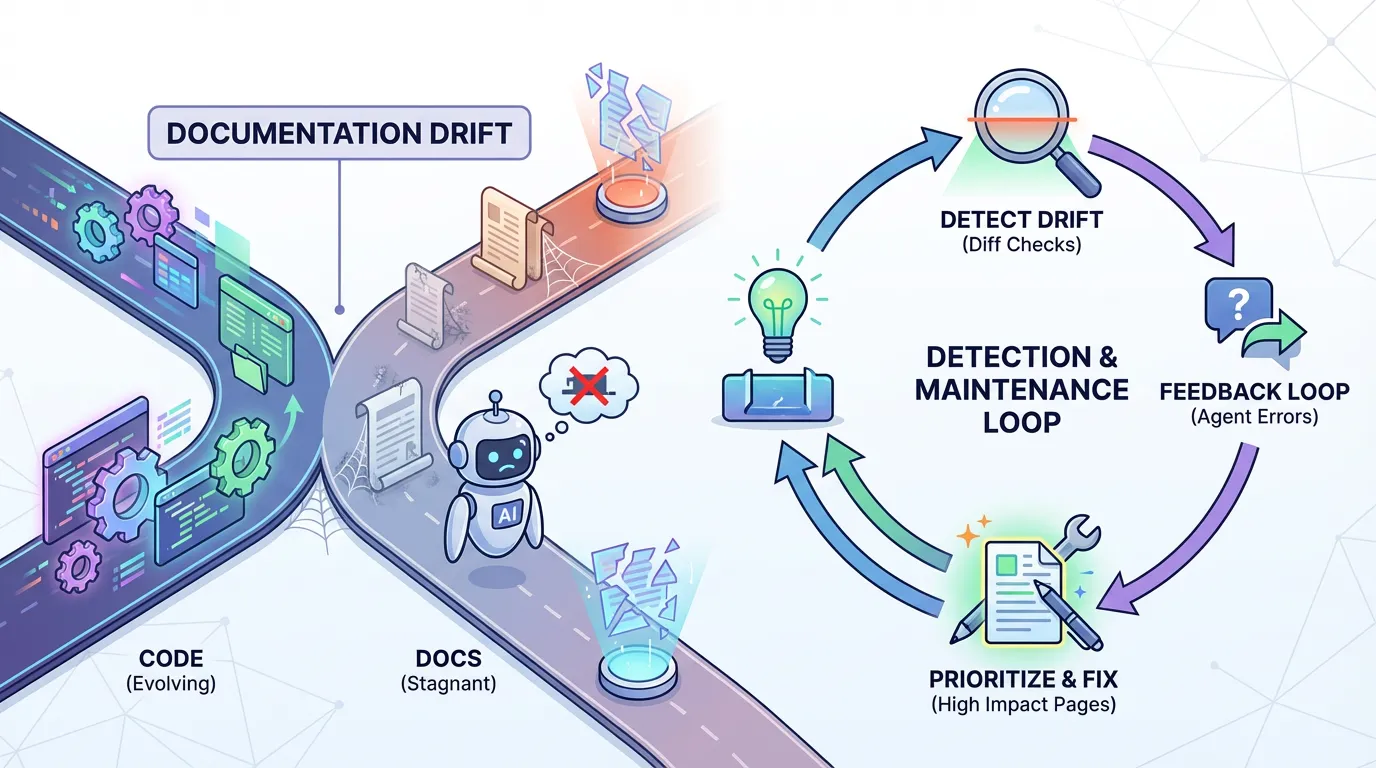
Documentation drift happens when code changes but docs do not. For AI agents, drift is a direct cause of incorrect output. You can fix drift with a simple detection and maintenance loop.
This guide explains how to detect drift, prioritize fixes, and keep context current.
Direct answer: Documentation drift is when code changes but docs do not, which causes agents to follow stale guidance. Detect drift with diff checks and feedback loops, then fix the highest impact pages first. Prevent drift with ownership and scheduled reviews. Tie updates to releases.
What drift looks like in practice
Drift shows up as broken examples, outdated instructions, or references to removed features. Agents follow these instructions and fail.
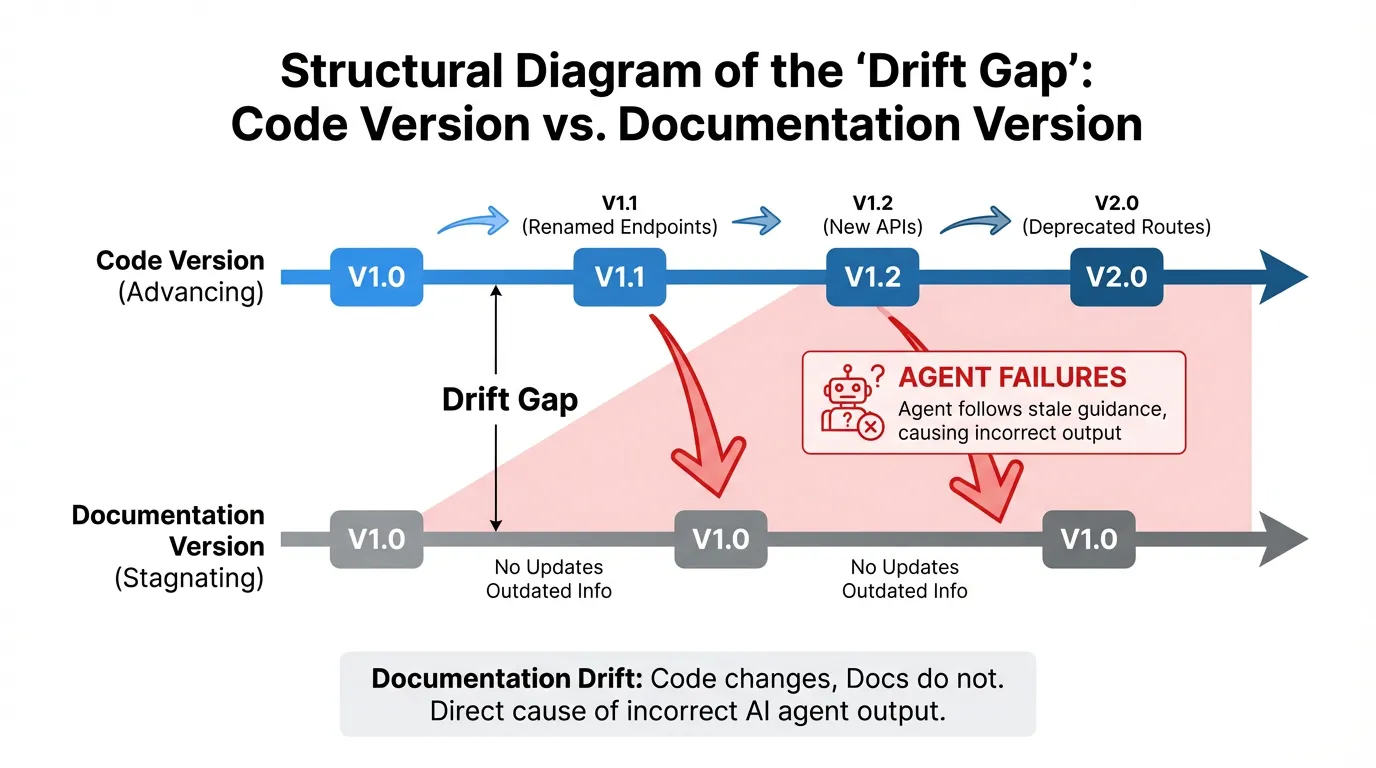
Detection methods
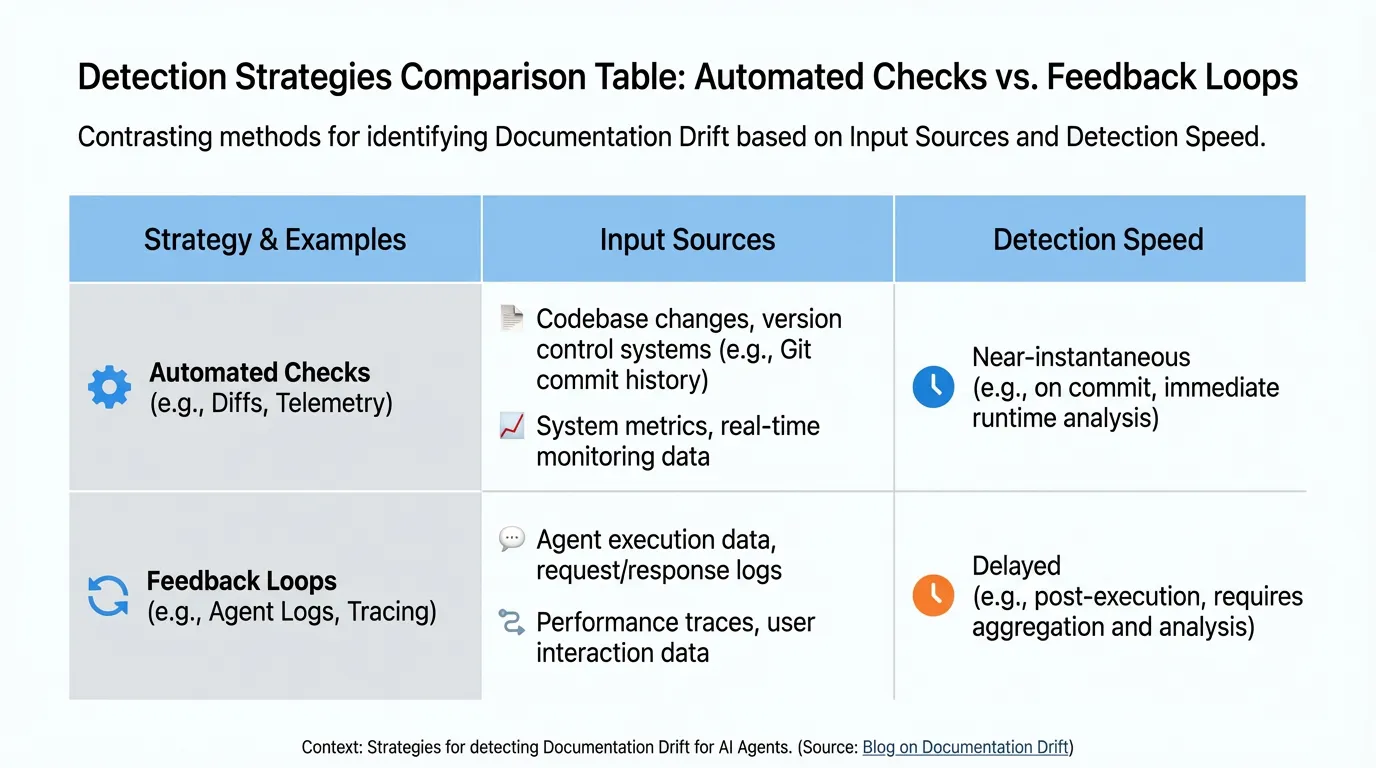
Use both automated checks and human feedback.
Diff checks and telemetry
Compare docs against code changes and flag mismatches. Track which pages are updated the least.
User and agent feedback
Log where agents fail and trace the failures back to doc pages. This is often faster than manual audits.
Prioritizing fixes
Fix pages that cause the most errors first. Use your benchmarks to identify high impact areas.
A repeatable fix workflow
Example (hypothetical): A diff check flags a renamed endpoint, and the doc is updated the same day to avoid agent errors.
- Confirm the source of truth in docs.
- Update instructions and examples.
- Validate examples against current code.
- Add a quick review step before releases.
Preventing drift
Assign ownership, set review schedules, and mark deprecated pages. If a page is no longer valid, remove it or mark it clearly.
Example metrics to track
| Metric | What it tells you | How to measure | |---|---|---| | Drift incidents | Frequency of stale docs | Issues traced to doc mismatch | | Fix turnaround | Speed of correction | Time from report to update | | Coverage of critical pages | Risk concentration | Share of key pages updated monthly |
FAQs
How do I detect drift quickly?
Use diff checks on high impact files and collect feedback from agent failures. Both signal where docs are stale.
What if no one owns the docs?
Assign ownership by system or team and add it to the doc metadata. Ownership is the first step to preventing drift.
Summary and next step
Key takeaways:
- Drift is predictable and fixable.
- Use detection loops and ownership.
- Fix high impact pages first.
Ready to apply this? Try for free.
Ready to give SotaDocs a try?
Detect documentation drift with checks and feedback, prioritize fixes, and build a workflow that keeps context current.