Designing Agent-Friendly Docs: Structure, Metadata, and Retrieval Signals
Learn how to structure docs, add metadata, and create retrieval signals so agents can find the right context fast.
- documentationmetadataretrievalai-agents
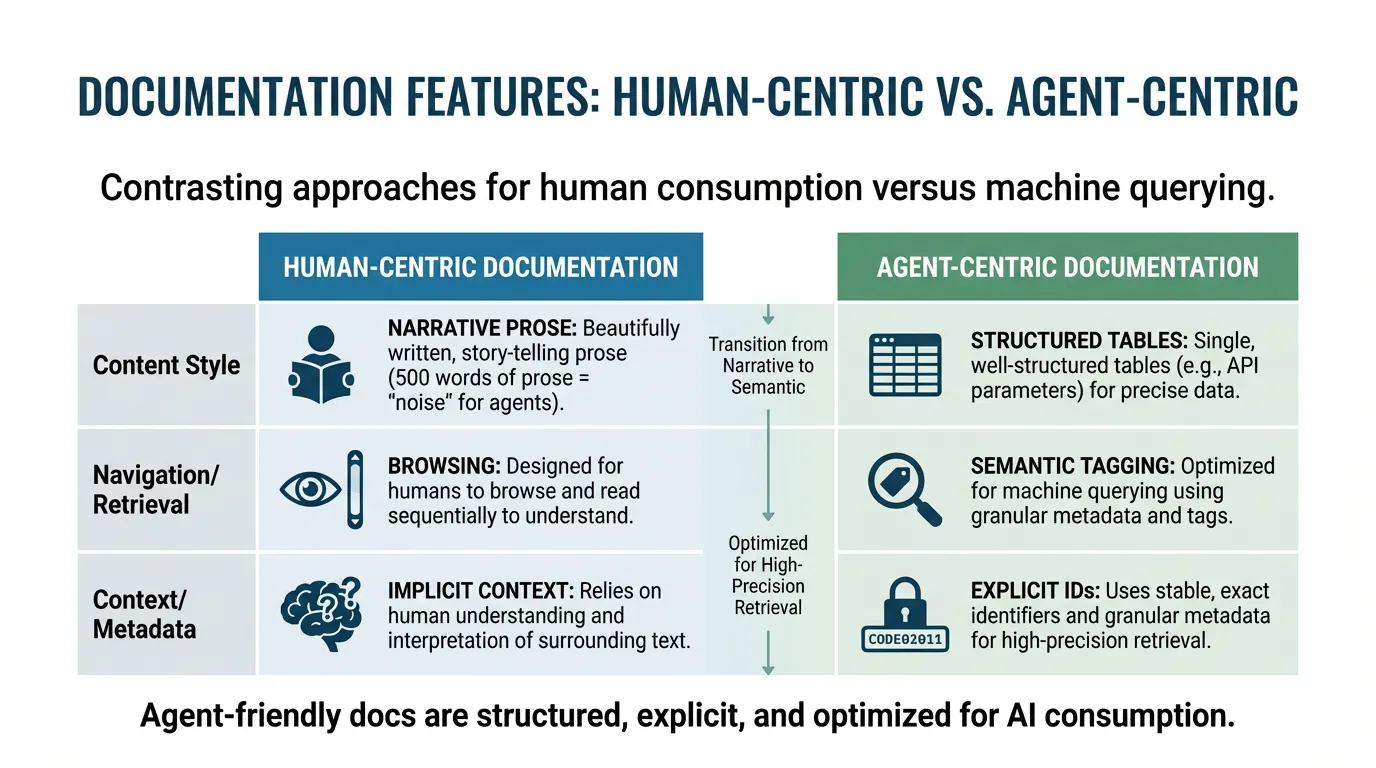
Traditional documentation is written for humans to browse; agentic documentation is designed for machines to query. For an agent, 500 words of beautifully written prose is "noise" compared to a single, well-structured table of API parameters. To make your docs agent-friendly, you must transition from narrative story-telling to semantic data-tagging.
Direct answer: Agent-friendly docs are structured, explicit, and optimized for high-precision retrieval. By adding stable headings, exact identifiers (IDs), and granular metadata (like version, owner, and status), you allow agents to find facts without the noise. This eliminates guesswork errors and ensures the model is grounded in your current production reality.
What makes docs agent-friendly
Agent-friendly docs are explicit, current, and consistent. They use stable terminology, include examples, and clearly state the constraints.
Structure patterns that help retrieval
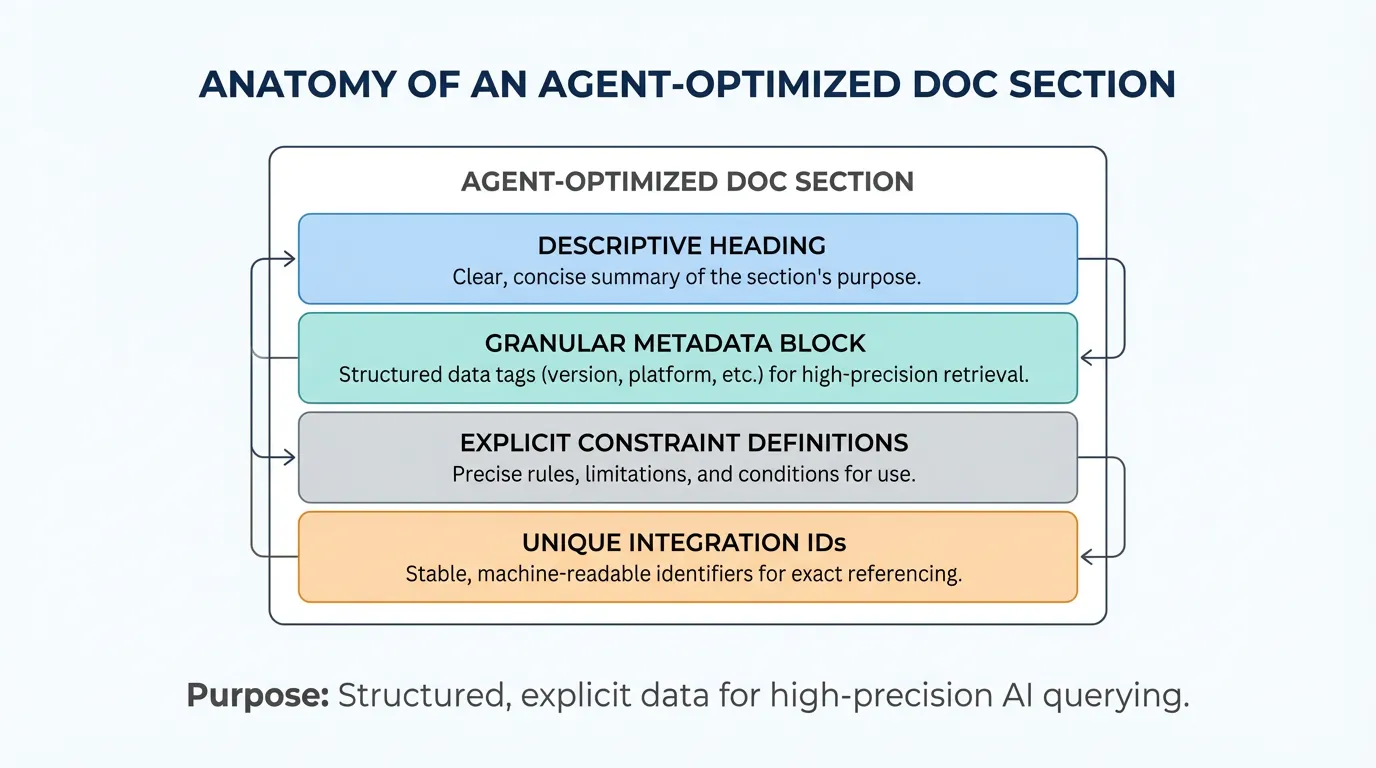
Use short sections with descriptive headings. Keep one topic per section and avoid mixing versions. If possible, centralize guidance in your docs.
Metadata that matters
Metadata should include version, owners, and dependencies. It should also state whether a section is authoritative or informational. This helps the agent choose the correct source.
Retrieval signals and identifiers
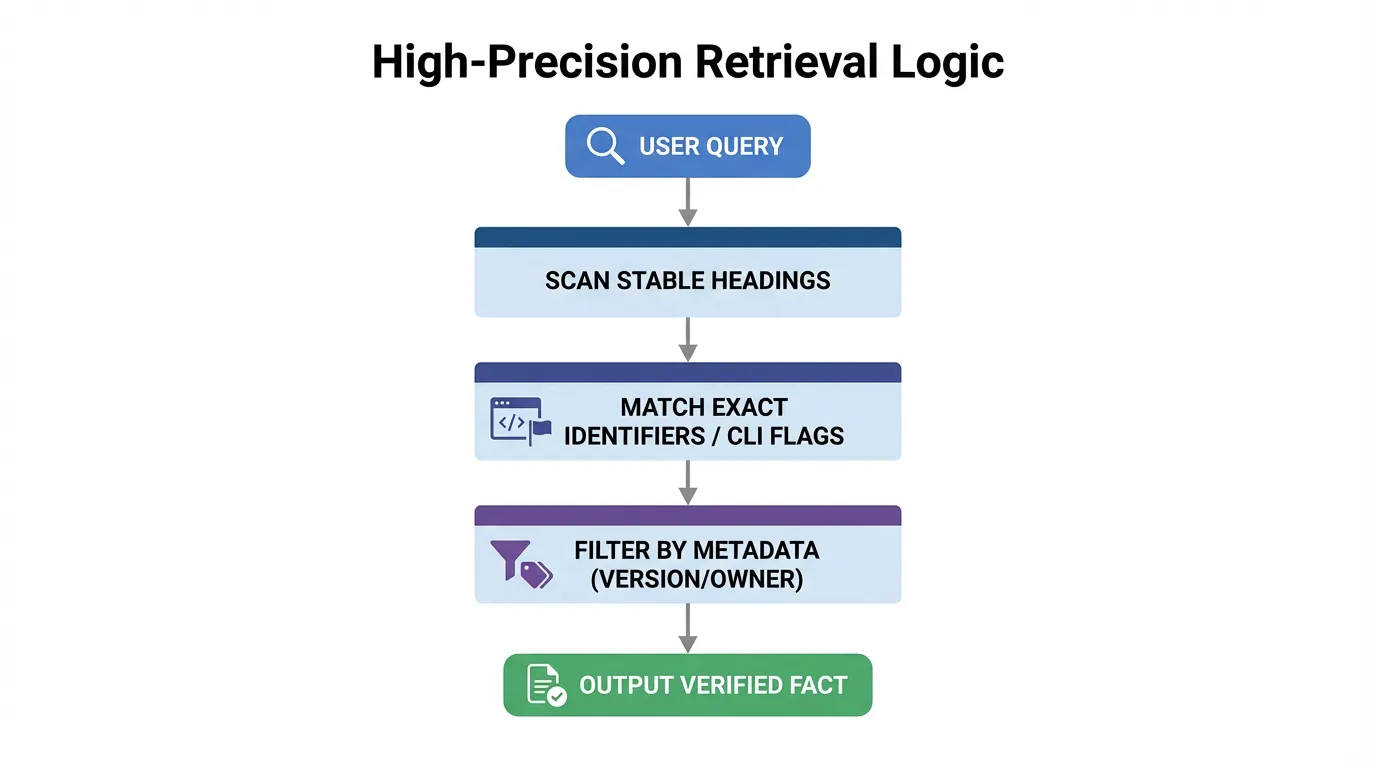
Provide consistent identifiers for APIs, commands, and configuration. Include exact names and file paths. If you expose tools, align identifiers with your integrations.
Example (hypothetical): Adding a version tag and exact CLI flags to a doc section lets the agent retrieve the correct command on the first try.
Versioning and change logs
Version-aware docs prevent agents from pulling outdated instructions. Keep change logs near the docs they affect and mark deprecated guidance clearly.
Audit checklist
- Is there a single source of truth?
- Are versions and owners explicit?
- Are identifiers exact and consistent?
- Are deprecated sections marked clearly?
Example metrics to track
| Metric | What it tells you | How to measure | |---|---|---| | Retrieval accuracy | Whether agents find correct docs | Check citations against source of truth | | Doc freshness | Risk of drift | Days since last update on key pages | | Task success rate | Impact on outcomes | Correct tasks after doc updates |
FAQs
Which metadata fields matter most?
Version, owner, and dependencies are the most important. They tell the agent whether a section is current and authoritative.
How do I prevent retrieval ambiguity?
Use stable identifiers, exact names, and clear headings. Avoid mixing versions and mark deprecated guidance explicitly.
Summary and next step
Key takeaways:
- Structure and metadata drive retrieval accuracy.
- Stable identifiers reduce ambiguity.
- Regular audits prevent drift.
Ready to apply this? Try for free.
Ready to give SotaDocs a try?
Learn how to structure docs, add metadata, and create retrieval signals so agents can find the right context fast.