Context Windows Explained: Why Token Limits Matter for AI
Understand context windows, how token limits cause truncation and errors, and the strategies that keep agents grounded.
- context-windowtoken-limitsretrievalai-agents
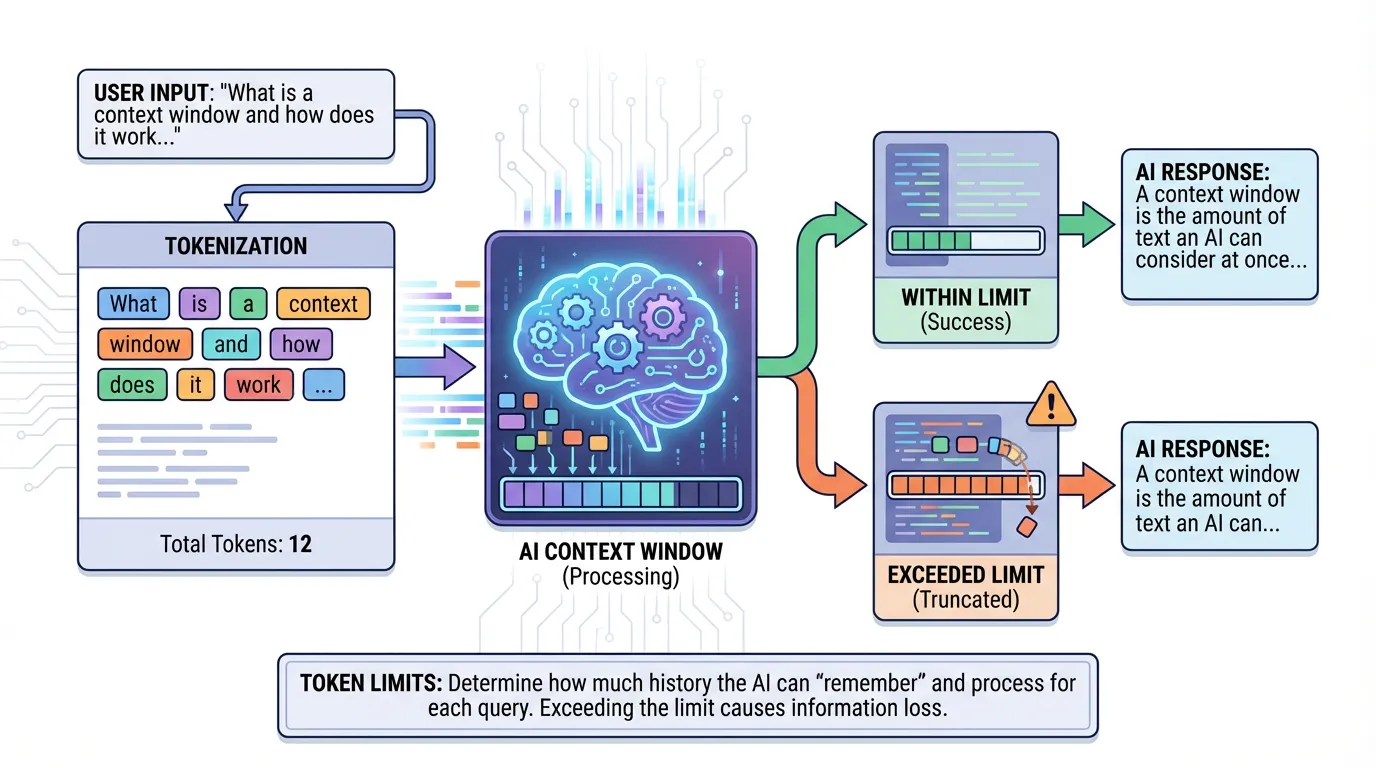
Every AI model has a limit to how much information it can process at once. This limit is the context window.
Direct answer: A context window is the maximum amount of text a model can process in one request. When you exceed it, important constraints get dropped and the model guesses. You can avoid this with targeted retrieval, structured docs, and concise summaries that keep the right facts in view without overflowing the buffer.
What a context window is
A context window is the maximum amount of text a model can process in a single request. If the task includes more context than the window allows, some of it is dropped.
Why token limits change outcomes
Token limits are not just a cost problem. They change the model behavior.
Truncation and loss of constraints
If a critical requirement gets cut, the model makes assumptions to fill the gap. That is how you get confident but wrong output.
Shallow reasoning
Large tasks can force the model to compress details. The result is vague or generic output that fails in real code.
Symptoms of a blown context window
Common signs include missing requirements, wrong APIs, and repeated questions the agent should already know. If the agent keeps asking for context you already provided, it is likely losing the earlier parts of the prompt.
Strategies that work
You can get good results without stuffing everything into a single prompt.
Summaries and chunking
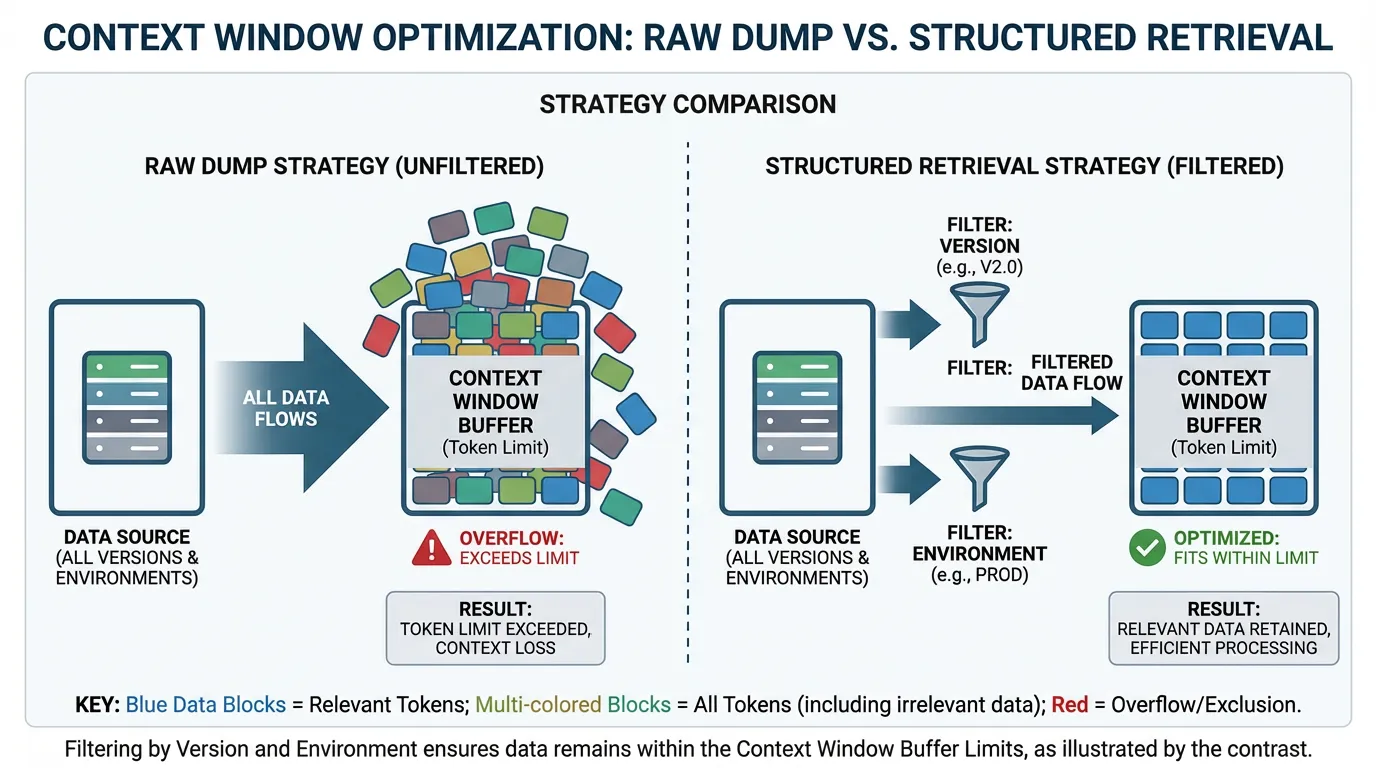
Provide a short summary plus the most relevant excerpts. A well-structured summary in your docs often helps more than raw dumps.
Retrieval modes and filtering
Use the right retrieval mode to fetch only what matters. Filter by version, environment, and task type to avoid noise. If you need structured sources, review your integrations.
Choosing the right retrieval mode
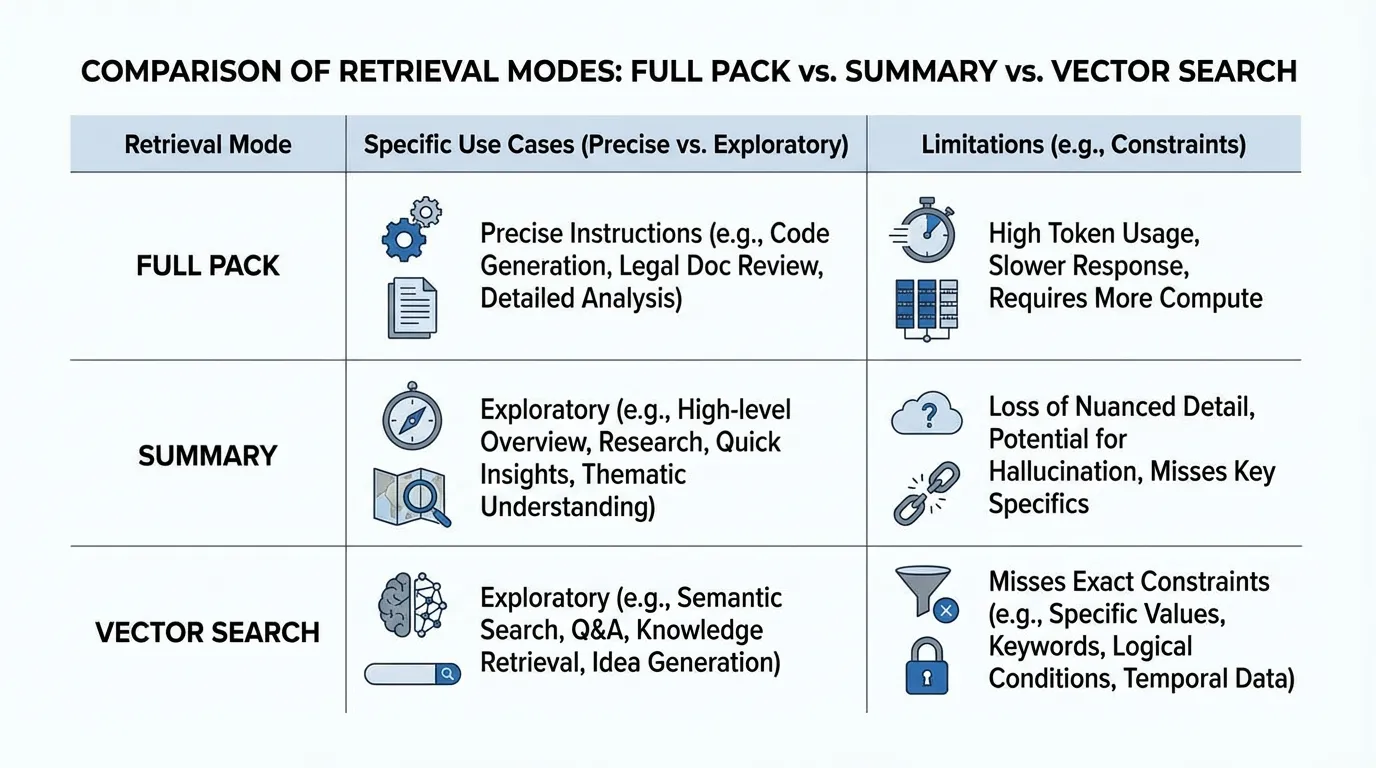
If the task needs precise instructions, use a full pack. For exploratory tasks, a summary may be enough. Vector search helps with fuzzy queries but can miss exact constraints.
Practical examples
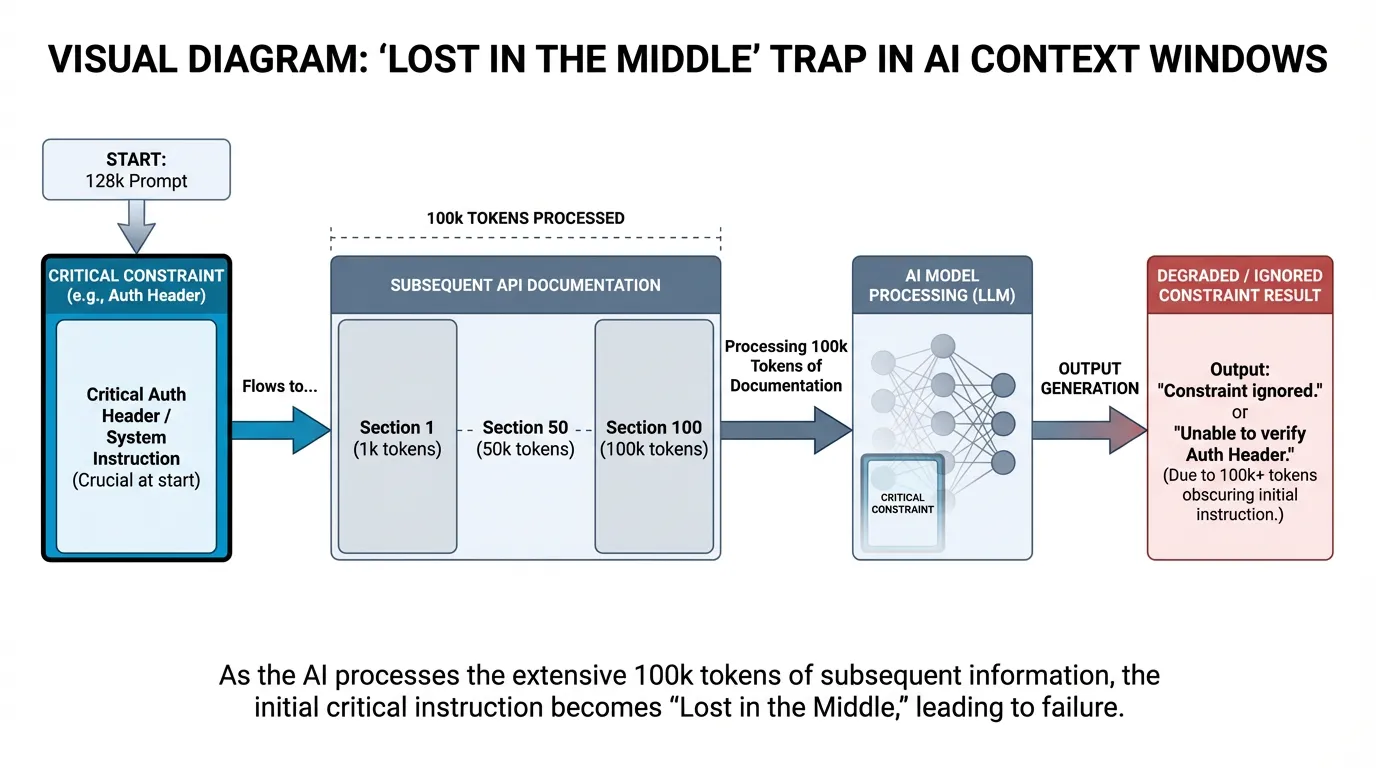
The 'Lost in the Middle' Trap: In a 128k prompt, a model was given a custom authentication header requirement at the very top. By the time it processed the 100k of API documentation that followed, it had 'forgotten' the header constraint and generated invalid requests.
The fix wasn't a bigger model; it was using a Context Vault to only retrieve the specific 2k of documentation needed for that specific endpoint.
- A migration plan needs full pack context so the agent sees all constraints.
- A quick feature brainstorm can rely on summaries.
- A troubleshooting task often needs filtered docs and recent changelogs.
Example metrics to track
| Metric | What it tells you | How to measure | |---|---|---| | Context recall rate | Whether constraints are used | Check outputs for required constraints | | Token cost per task | Efficiency | Tokens per completed task | | Error rate after truncation | Impact of context loss | Compare errors before and after prompt trimming |
FAQs
How big of a context window do I need?
It depends on task complexity. For precise changes, use targeted retrieval rather than a larger window. Bigger windows help, but they do not replace structured context.
What is the best way to handle long docs?
Use summaries plus selective full-pack retrieval. This keeps critical constraints visible while avoiding truncation.
Final Takeaway: Manage the Buffer
Stop stuffing prompts and start curating context.
- The Problem: More context does not equal better results if it overflows the window.
- The Fix: Use "Need to Know" data fetching and structured summaries.
- The Result: Repeatable, grounded agent output that respects every constraint.
Ready to optimize your agent's memory? Try for free.
Ready to give SotaDocs a try?
Understand context windows, how token limits cause truncation and errors, and the strategies that keep agents grounded.