Building Custom Workflows with SotaDocs Context Vault
Design custom workflows with a Context Vault to curate sources, set permissions, and automate agent-ready context.
- context-vaultworkflowsautomationai-agents
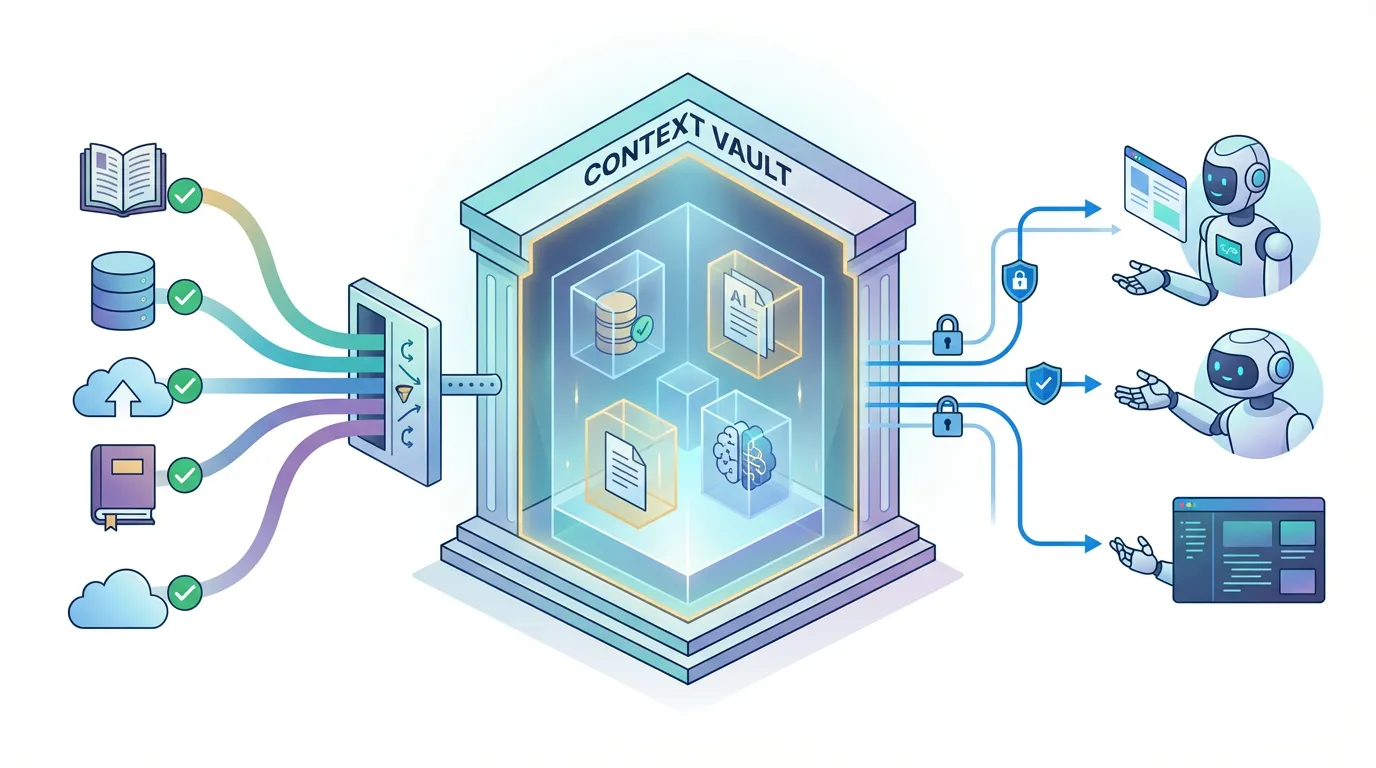
Context Vault is a way to curate approved sources and deliver them to agents with clear permissions. The goal is simple: reduce guesswork and make context predictable.
This guide explains what a Context Vault is, how to design workflows around it, and how to keep those workflows safe.
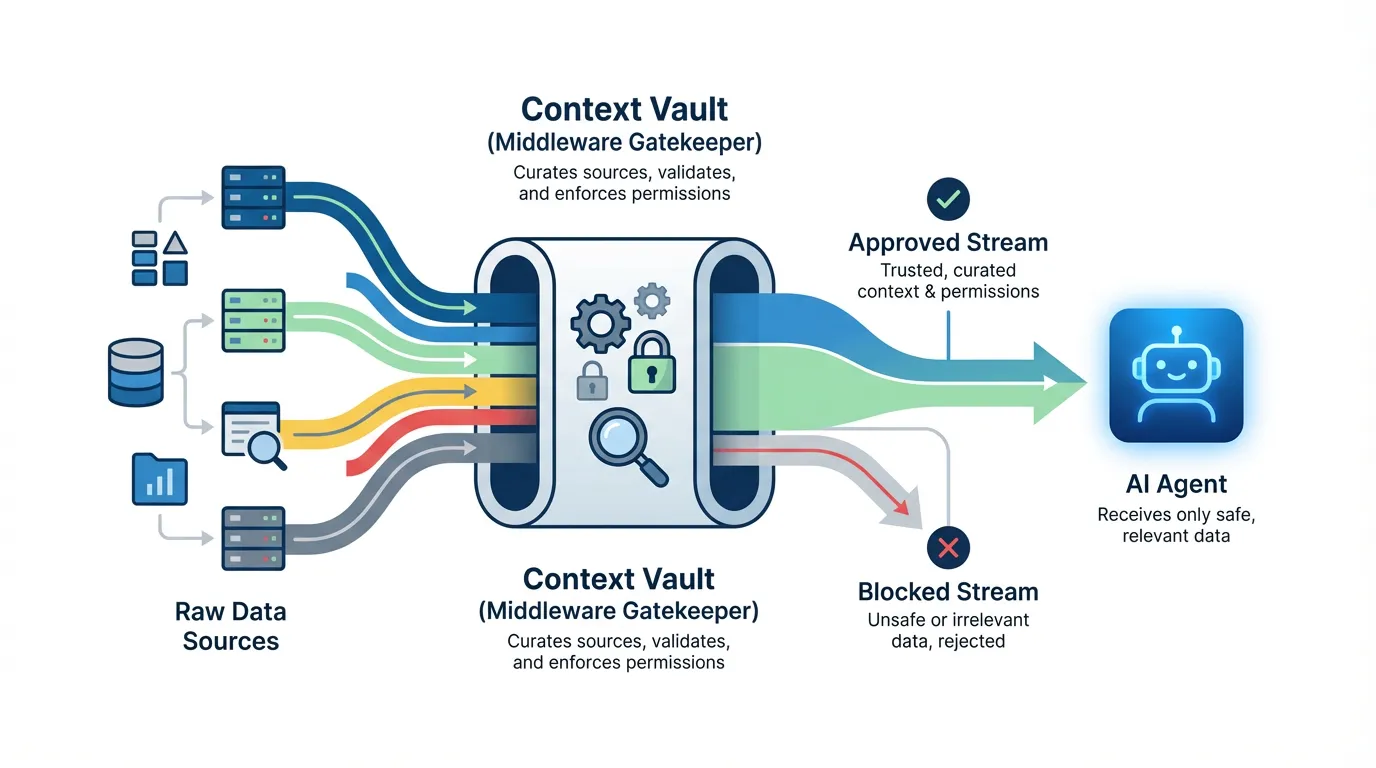
Direct answer: A Context Vault curates approved sources and permissions so agents retrieve only trusted context. Design workflows by defining tasks, selecting sources, and choosing retrieval modes. This reduces guesswork and makes agent behavior predictable across teams. Review access regularly to avoid drift.
What the Context Vault is
A Context Vault is a curated store of documentation, references, and constraints that agents are allowed to use. It is the foundation for reliable retrieval.
Common workflow patterns
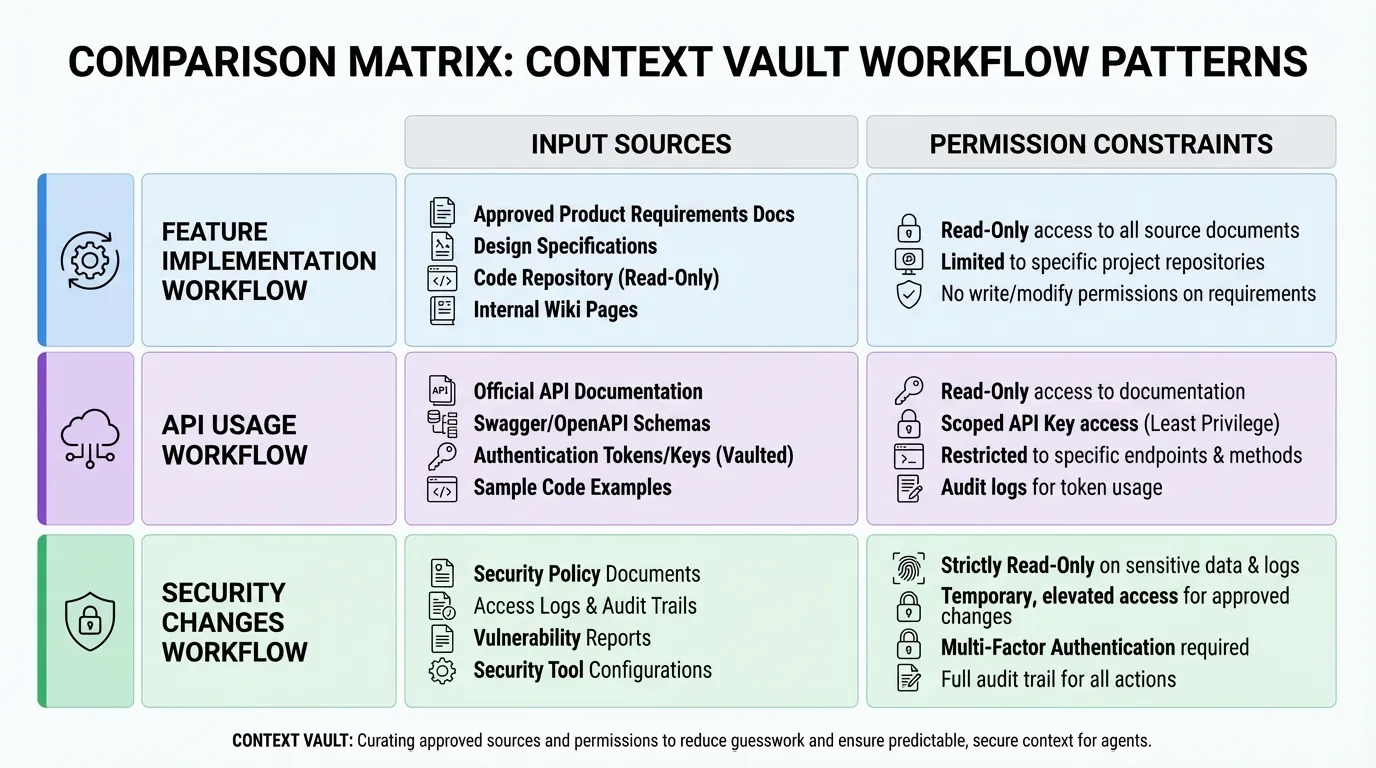
Most teams start with a few repeatable patterns:
- Feature implementation with approved docs.
- API usage with versioned references.
- Security-sensitive changes with strict permissions.
Example (hypothetical): A workflow for billing questions pulls only approved pricing docs and blocks access to private repos.
Designing a workflow
Define the task, list the required sources, and choose the retrieval mode. Use the product overview to align workflows with real user needs.
Automation hooks
Automate syncs when docs change. If your data comes from multiple sources, align with integrations.
Governance and permissions
Keep permissions explicit and limit access for sensitive systems. Align with your security guidance and document exceptions in docs.
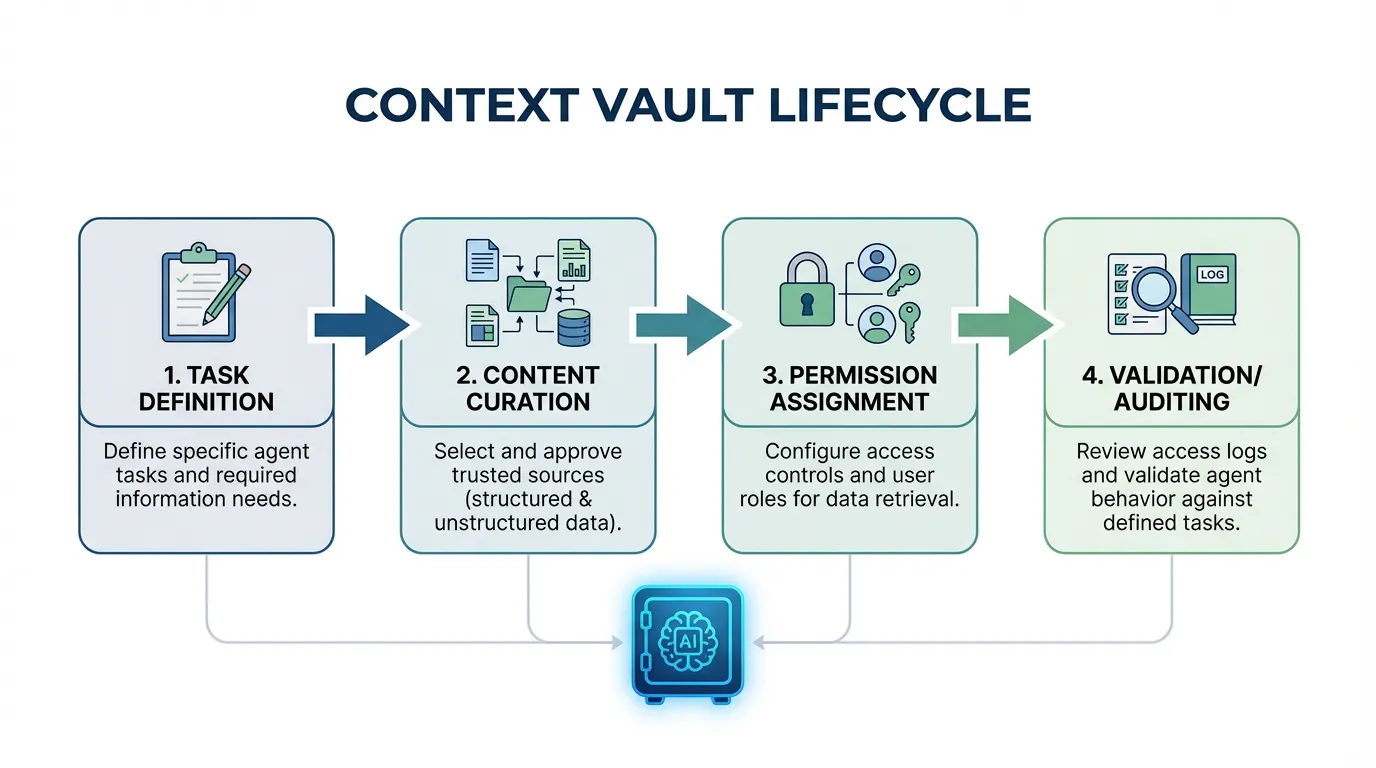
Step-by-step workflow
- Define the task and required sources.
- Curate approved content into the vault.
- Assign permissions by role and risk level.
- Validate retrieval and audit access regularly.
Example metrics to track
| Metric | What it tells you | How to measure | |---|---|---| | Source usage | Whether vault sources are used | Percent of outputs citing vault sources | | Permission violations | Safety gaps | Blocked or denied access count | | Workflow success | Outcome quality | Task success rate per workflow |
FAQs
Do I need a vault for every team?
Start with workflows that touch sensitive data or high risk operations. Expand to other teams once the model is proven.
How do I manage permissions safely?
Use least privilege and review access on a schedule. Keep exceptions documented and short lived.
Summary and next step
Key takeaways:
- Curated sources and permissions reduce risk.
- Define workflows by task and source.
- Governance keeps access safe.
Ready to apply this? Try for free.
Ready to give SotaDocs a try?
Design custom workflows with a Context Vault to curate sources, set permissions, and automate agent-ready context.